In a competitive digital market, your website is often the first interaction a potential customer has with your business. A generic website template may be quick to launch, but it can limit your branding, functionality, performance, and future growth.
Bespoke web design offers a more strategic alternative. It creates a website specifically around your business objectives, target audience, brand identity, and technical requirements.
What is Bespoke Web Design?
Bespoke web design is the process of planning, designing, and developing a website from the ground up. Instead of selecting a pre-designed template and adapting your business to fit it, a bespoke website is built around your exact needs.
This may include:
A unique visual identity
Custom page layouts
Tailored user journeys
Industry-specific functionality
Third-party software integrations
Custom content management features
Advanced security and performance requirements
A bespoke website is not simply about making a site look different. It combines design, development, user experience, SEO, security, and business strategy into one customised digital solution.
Bespoke Web Design vs Template Websites
Template websites can be useful for individuals and small businesses that need a simple online presence. However, they often come with limitations. You may be restricted by the template’s layout, plugins, features, loading speed, and integration options.
A bespoke website gives you greater control over how your website looks, works, and develops over time. It can be designed around your customers and business processes rather than forcing your business to work around a pre-existing system.
Benefits of Working with a Bespoke Web Design Agency
1. Flexibility and Scalability
Your website should be able to grow with your business. A bespoke website provides the flexibility to add new services, products, pages, customer areas, booking systems, payment features, and integrations as your needs change.
This makes it easier to respond to market opportunities without having to rebuild the entire website. A well-planned custom platform can also be structured to support increased traffic and more complex business operations.
2. Unique Appeal and Greater Credibility
A website built from a standard template may look similar to many other businesses online. Bespoke design allows your website to express your brand in a distinctive and professional way.
A clear visual identity can help visitors understand who you are, what you offer, and why they should choose you. Consistent colours, typography, imagery, content, and messaging can also create a stronger sense of trust and credibility.
3. Custom-Tailored to Your Business
Every business has different goals and customers. A bespoke website can be created around your specific audience, industry, services, and conversion objectives.
For example, an online retailer may need advanced product filtering and checkout features, while a professional services company may require consultation bookings, client portals, and lead-generation forms.
The website structure, navigation, content, and calls to action can all be planned to support the actions you want visitors to take.
4. Enhanced Functionality
One of the main advantages of bespoke website development is the ability to build functionality that is specifically relevant to your organisation. A custom website can include online booking and appointment systems, customer dashboards, membership areas, product configurators, quote calculators, and online payment options.
It can also feature bespoke e-commerce tools, internal administration systems, and automated forms and workflows. Rather than relying on multiple plugins that may conflict with one another or create security and performance issues, a professional web design agency can develop a more controlled, reliable, and efficient solution tailored to your business needs.
5. A Unique and Memorable Look
Your website should be recognisable and consistent with the rest of your brand. Bespoke design gives you the freedom to create original layouts, animations, illustrations, photography, and interactive elements.
A well-designed website should not only look attractive it should also communicate your value quickly and guide users naturally towards the information or action they need. User-centred design and usability testing can help ensure that creativity does not come at the expense of clarity.
6. Integration with Existing Databases and Software
Many businesses already use tools such as CRM systems, accounting platforms, inventory software, email marketing systems, payment providers, or booking applications.
A bespoke website can be connected to these systems through secure integrations and APIs. This can reduce manual data entry, improve accuracy, and create a smoother experience for both staff and customers.
7. Better Website Performance
Website speed affects user experience and can influence whether visitors stay on your website or leave. During a bespoke project, performance can be considered from the beginning through clean code, optimised images, efficient functionality, and appropriate hosting.
Instead of loading unnecessary features designed for a wide range of users, a custom website can be built with the tools your audience actually needs.
8. Greater Control Over SEO
Search engine optimisation is most effective when it is considered during the planning and development stages rather than added as an afterthought. A bespoke website can be structured with a logical page hierarchy, search-friendly URLs, optimised metadata, accessible content, and a clear internal linking system.
It can also be designed for mobile responsiveness, fast loading times, and strong technical SEO foundations. These elements help search engines understand your website more easily and improve the chances of potential customers finding your products or services online.
9. Stronger Security and Compliance
A custom website can be developed with your organisation’s security requirements in mind. Depending on your industry, this may involve secure authentication, encrypted data, access controls, payment protection, backups, and privacy compliance.
This is particularly important for websites handling customer accounts, financial information, personal data, or confidential business information.
Security should be treated as an ongoing responsibility. A reliable agency can provide monitoring, updates, maintenance, and support after launch.
10. Long-Term Investment
A bespoke website may require a greater initial investment than a basic template site. However, it can provide better value over time by reducing the need for repeated redesigns, unnecessary plugins, third-party workarounds, and manual processes.
A website that supports your operations, generates leads, improves customer experience, and integrates with your existing systems can contribute directly to business efficiency and growth.
What Does the Bespoke Website Process Involve?
A professional bespoke web design project usually includes the following stages:
Discovery and Research: Understanding your business, audience, competitors, and objectives.
Planning and Strategy: Defining the site structure, user journeys, content, and technical requirements.
UX and visual Design: Creating wireframes and a distinctive design system for your brand.
Development and Integrations: Building the website and connecting required tools or databases.
Testing and Quality Assurance: Checking performance, responsiveness, accessibility, security, and functionality.
Launch and Ongoing Support: Deploying the website and providing maintenance or improvements after launch.
Is Bespoke Web Design Right for Your Business?
Bespoke web design may be the right choice if your business:
Has specific functionality requirements
Needs to integrate with existing systems
Wants a distinctive brand experience
Plans to grow significantly
Requires advanced security or compliance
Has outgrown a template website
Wants greater control over SEO and performance
For a simple website with only a few pages, a template may be sufficient. However, if your website is an important part of your marketing, sales, operations, or customer service, our web designing team can create a bespoke solution that provides greater flexibility, stronger performance, and long-term value.
Final Thoughts
A bespoke website is a strategic business asset, not just an attractive online brochure. It is designed around your goals, built for your audience, and prepared for future development.
From flexibility and unique branding to improved functionality, integrations, SEO, security, and performance, a custom-built website can give your business a stronger and more sustainable digital presence.
The best first step is to speak with a bespoke web design agency about your goals, current challenges, and future plans. A clear discovery process will help determine whether a custom website is the right investment for your organisation.
When creating a website, two terms appear repeatedly, web design and web development. Although they are closely connected, they describe different parts of the website-building process.
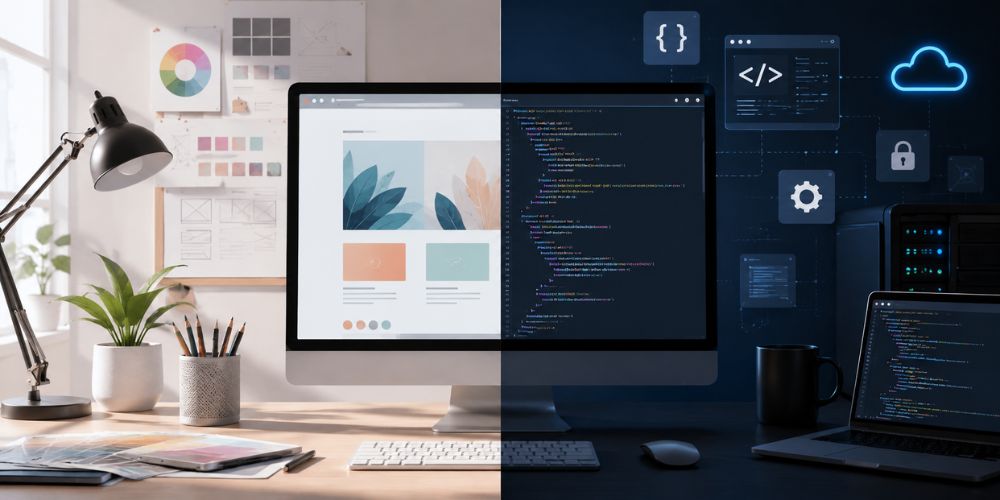
Web design focuses on how a website looks, feels, and guides visitors. Web development focuses on how the website works, processes information, and delivers technical features.
A successful website needs both. Attractive visuals may capture attention, but reliable development ensures that pages load quickly, forms work correctly, and visitors can complete important actions.
What is Web Design?
Web design is the creative and strategic process of planning a website’s appearance and user experience. A web designer decides how information is arranged and how users interact with the site.
Design involves much more than choosing attractive colours. A good website design should reflect the brand, communicate information clearly, build trust, and help visitors find what they need.
For example, a designer may plan:
The layout of the homepage
Navigation menus
Headings and content sections
Buttons and calls to action
Fonts and colour combinations
Images, icons, and illustrations
Contact forms and product displays
Mobile, tablet, and desktop layouts
The designer may create wireframes, visual mockups, or clickable prototypes before development begins. These provide a visual blueprint for the final website.
Key Aspects of Web Design
User Interface (UI): Buttons, menus, forms, icons, spacing, and page layout that users see and use.
User Experience (UX): Makes a website easy to navigate, understand, and use.
Branding & Visual Identity: Consistent colours, fonts, images, and style that represent the company.
Responsive Design: Website adjusts properly on mobiles, tablets, laptops, and desktops.
Accessibility: Website should be usable for everyone, with clear headings, good colour contrast, keyboard navigation, and readable text.
What is Web Development?
Web development is the technical process of building, launching, and maintaining a website. Developers use code and web technologies to turn a design concept into a functioning online experience.
Development may include:
Creating website pages
Adding interactive features
Connecting databases
Building forms and account systems
Integrating payment gateways
Connecting external applications
Improving website speed
Protecting the website from security threats
Testing and fixing technical errors
Maintaining and updating the website
A developer’s work is often partly visible to users and partly performed behind the scenes.
Front-End vs. Back-End Development
Front-End Development: The visible and interactive part of a website.
HTML: Page structure
CSS: Styling and layout
JavaScript: Interaction and dynamic features
React, Vue, and Angular: Popular frameworks
Examples: Sliders, dropdown menus, animations, search bars, filters, and forms
Back-End Development: Manages the systems working behind the website.
Servers and databases
User accounts
Content management systems
Website security
APIs and third-party integrations
Booking and payment systems
Business logic
Example: When a customer submits an enquiry, the back end saves the information and sends a notification to the business.
Full-Stack Development: Involves both front-end and back-end development.
It is useful for small projects, while larger projects may need separate specialists.
Web Design vs. Web Development: Key Differences
Focus and Purpose
Web design focuses on creating a clear and engaging experience for visitors. It controls how information looks and how users move through the website. Web development turns this design into a working website by managing pages, forms, buttons, accounts, databases, and integrations.
Artificial Intelligence (AI) can support both areas by generating design ideas, creating content, analysing user behaviour, improving personalisation, detecting errors, and automating repetitive development tasks. Both design and development are important because a beautiful but confusing website, or a functional but outdated website, can reduce trust and conversions.
Required Skills and Tools
Web designers need knowledge of visual hierarchy, typography, colour theory, branding, wireframing, prototyping, UI, UX, responsive design, and accessibility. They may use tools such as Figma and Adobe software. AI can help designers generate ideas, create layouts, suggest colour schemes, produce images, and analyse user behaviour.
Web developers need knowledge of programming, responsive coding, databases, servers, content management systems, APIs, testing, security, performance optimisation, and version-control systems such as Git. AI can assist developers by generating code, finding errors, improving website performance, automating testing, and enhancing security. Some professionals work in both areas, but design and development are separate fields.
User Experience vs. Technical Performance
Designers focus on the visitor’s experience. They make sure users can find information easily, understand the navigation, notice important buttons, trust the website, and read the content comfortably. AI can support designers by analysing user behaviour, suggesting better layouts, personalising content, and identifying usability problems.
Developers focus on technical performance, including page speed, browser compatibility, working forms, secure data handling, future growth, and search engine access. AI can help developers generate and optimise code, detect errors, automate testing, improve security, and increase website performance. Both areas are connected because a slow website affects user experience, while a confusing design can make excellent technical development ineffective.
How Web Design and Web Development Work Together
Web design and development usually work as a connected process.
1. Discovery and Planning
The team identifies the target audience, business goals, required pages, key features, and expected outcomes.
2. Information Architecture
The website’s content structure and navigation are planned. This helps determine how pages connect with one another.
3. Wireframing and Design
The designer creates basic wireframes and then develops the visual design, including colours, typography, images, components, and responsive layouts.
4. Development
The developer converts the approved design into a working website. They build the front end, configure the back end, and add the required functionality.
5. Testing
The website is tested across devices and browsers. The team checks links, forms, accessibility, performance, security, and content.
6. Launch and Maintenance
After launch, the website requires monitoring, updates, backups, security checks, content changes, and ongoing improvements.
The earlier designers and developers collaborate, the fewer problems are likely to appear later. Technical limitations can influence design decisions, while design choices can affect development time and cost.
Which Service Does Your Business Need?
Hire a Web Designer If:
Your website looks outdated
Your branding is inconsistent
Visitors struggle to navigate the site
You need a new layout or visual identity
You want to improve the user journey
You need wireframes or a prototype before development
Hire a Web Developer If:
Your website has technical errors
Pages load slowly
You need a booking, payment, or membership system
You want to connect an external tool or API
Your website is not working properly on mobile devices
You need a platform migration, security upgrade, or custom feature
Hire Both If:
You are building a new website from the beginning
You are launching an e-commerce business
Your website is central to sales or lead generation
You need a custom design and advanced functionality
You want the website to be scalable and professionally maintained
For many businesses, the most practical option is a web agency or team that offers both design and development. This creates better communication and reduces the risk of receiving a design that is difficult or expensive to build.
Does Web Design or Web Development Affect SEO?
Design affects readability, navigation, engagement, mobile usability, and the clarity of important content. Development affects page speed, technical structure, crawlability, accessibility, security, and the way search engines interpret the website.
SEO should therefore be considered during planning, design, content creation, and development, not added only after the website is finished.
Is Your Website Experiencing Technical Problems?
Is your website loading slowly, showing errors, or not working properly on mobile devices? Are forms, links, payments, or other features failing? Our website development services can identify the problem and provide reliable solutions.
We can help with:
Website errors and broken links
Slow page loading
Mobile responsiveness issues
Forms, booking, and payment problems
Security and performance issues
Database and server errors
Website updates and maintenance
Contact us today for professional website support and keep your online business running smoothly.
Final Thoughts
Web design and web development are different, but neither is more important than the other. Web design shapes how visitors experience your brand. Web development makes the website functional, secure, fast, and dependable. When the two work together, the result is a website that not only looks professional but also supports business goals.
Before hiring a professional, identify your main challenge. Do you need a stronger visual identity and easier navigation? Start with design. Do you need new functionality or improved performance? Development may be the priority. If you are creating a new business website, e-commerce store, or lead-generation platform, investing in both is usually the strongest approach.
A successful website is not simply attractive or technically advanced. It is clear, useful, reliable, accessible, and designed to help visitors take action.
Customers increasingly use the internet to discover businesses, compare services, check reviews, find contact details, and make purchasing decisions. If your business does not have a website, potential customers may struggle to find reliable information about what you offer.
Social media can help you connect with an audience, but it does not give you the same control, visibility, or functionality as a professional website. Your website acts as the online home of your business, a place where customers can learn about your services, understand your value, and take action.
Why is a Website Important for Your Business?
A website gives your business an official online presence that is available around the clock. Unlike a physical location with limited opening hours, a website allows customers to explore your products or services whenever it is convenient for them.
It can also support almost every part of your digital marketing strategy. Search engine optimisation, paid advertising, email marketing, social media, and content marketing all become more effective when they direct people to a professional website.
Most importantly, a website gives your business greater control over its presentation. You decide how your services, brand, customer reviews, contact details, and calls to action appear.
Who Benefits From Having a Website?
Almost any business, organisation, or self-employed professional can benefit from having a website. This includes small local businesses, startups, online retailers, service providers, consultants, tradespeople, restaurants, healthcare providers, educational organisations, freelancers, charities, and personal brands.
A local plumber can use a website to appear in relevant searches and accept enquiries. A restaurant can display its menu, location, opening hours, and booking options. A consultant can showcase experience and case studies, while a retailer can sell products to customers beyond its local area.
The size of your business does not determine whether you need a website. What matters is whether customers search online for information, products, or services connected to your business.
Reasons Every Business Needs a Website
1. Builds Credibility and Trust
Before choosing a business, customers usually look for evidence that it is legitimate, reliable, and still operating. A professional website builds confidence by presenting important business information in one accessible place.
Accurate contact details
Clear information about services
Customer reviews and testimonials
Industry experience
Business qualifications and credentials
Professional and user-friendly design
Your website does not need to be large or complicated. It simply needs to look professional, work correctly, and provide the information customers expect.
2. Increases Visibility and Reach
A physical business is normally limited by its location and opening hours. A website allows potential customers to discover your products or services at any time and from almost anywhere.
Greater online visibility
Access to local customers
National and international reach
Search engine optimisation opportunities
Optimised service pages
Location-specific pages
Helpful articles and resources
A website does not guarantee immediate search engine rankings, but it gives your business a strong platform for improving its visibility over time.
3. Attracts New Customers
Many customer journeys begin with an online search. People often compare different businesses, explore their services, read reviews, and select the provider that appears most relevant and trustworthy.
A well-designed website clearly explains:
What your business offers
Who your services are for
Which customer problems you solve
Why customers should choose you
How visitors can contact you
How customers can make a purchase
Clear service pages, useful content, testimonials, and strong calls to action can convert ordinary website visitors into enquiries and paying customers.
4. Supports Your Marketing Efforts
A website acts as the central destination for your marketing activities. Social media posts, advertisements, newsletters, listings, and printed materials can all direct potential customers to relevant website pages.
Social media marketing
Online advertising campaigns
Email newsletters
Business directory listings
Printed promotional materials
Service-specific landing pages
Campaign performance tracking
Conversion measurement
Website analytics can show where visitors came from, which pages they viewed, and whether they submitted a form, booked an appointment, or completed a purchase.
5. Generates Leads and Revenue
A business website can do much more than simply provide information. It can actively support sales and lead generation by making it easier for visitors to contact the business or complete a desired action.
Useful website features include:
Contact forms
Quotation request forms
Appointment-booking systems
Ecommerce functionality
Online payment options
Newsletter registration
Product demonstrations
Downloadable guides
Click-to-call buttons
These features allow service businesses to collect enquiries outside working hours and enable ecommerce businesses to accept orders at any time.
6. Provides Cost-Effective, Long-Term Promotion
Traditional advertising often stops producing results as soon as the campaign ends. A useful and properly maintained website can continue promoting your business for months or even years.
Long-term website content may include:
Service pages
Product pages
Educational articles
Blog posts
Customer case studies
Frequently asked questions
Downloadable resources
Company information
Although website design, hosting, SEO, content, and maintenance require investment, a strong website can become a valuable long-term business asset.
7. Showcases Customer Testimonials
Potential customers often need reassurance before choosing a business. Testimonials and case studies provide evidence of previous customer experiences and demonstrate that other people have trusted your services.
Your website can showcase:
Customer testimonials
Online ratings
Customer reviews
Detailed case studies
Before-and-after results
Recognised client logos
Successful project examples
Customer success stories
Authentic social proof can address common concerns, strengthen credibility, and make potential customers feel more confident about contacting your business.
8. Demonstrates Your Business Expertise
A website provides several opportunities to demonstrate your knowledge, skills, and experience. Publishing useful information can position your business as a trusted resource rather than simply another seller.
You can demonstrate expertise through:
Educational articles
Frequently asked questions
Completed project examples
Industry qualifications
Professional accreditations
Detailed case studies
Helpful guides
Explanations of your working process
Your content should always be accurate, useful, and relevant. A smaller collection of well-written resources is more valuable than a large amount of low-quality content.
9. Presents Your Brand Professionally
Your website gives you greater control over how customers see and understand your brand. It helps you to create a consistent identity that clearly separates your business from its competitors.
Important branding elements include:
Brand colours
Typography
Business logo
Professional imagery
Brand messaging
Tone of voice
Page design
Consistent visual identity
Your website should reflect the same branding used across social media, packaging, advertising, and signage. A clean and accessible design is usually more effective than unnecessary animations.
10. Keeps Your Business Available 24/7
Customers may search for information outside your normal working hours. A website keeps essential business information available even when your office, shop, or customer-service team is closed.
A website can provide information about:
Products and services
Prices and packages
Business locations
Opening hours
Delivery options
Booking procedures
Frequently asked questions
Payment methods
Contact details
This improves customer convenience while reducing repetitive enquiries. Booking forms, payment options, and online ordering can make the website even more useful.
11. Gives You Greater Control
Social media profiles exist on platforms owned and controlled by other companies. Their algorithms, policies, reach, account access, and design options can change without your control.
Your own website gives you control over:
Business information
Website design
Brand presentation
Published content
Customer navigation
Calls to action
Product and service promotion
Lead-generation process
Customer purchasing journey
Social media and your website should work together. Social media can attract and engage potential customers, while the website provides detailed information and supports conversions.
12. Helps You Understand Your Customers
Website analytics provide valuable information about how people discover and interact with your business. This data can help you make better marketing, content, and business decisions.
Analytics can show:
Where visitors come from
Which pages receive the most traffic
Which devices customers use
How long visitors remain on the website
Which services attract attention
Which actions lead to conversions
Which pages generate enquiries
Where visitors leave the website
For example, a popular page may deserve further investment, while a page with many visitors but few enquiries may need clearer content or a stronger call to action. Analytics should always follow relevant privacy, data-protection, and cookie requirements.
Website vs. Social Media: Do You Need Both?
A business website and social media serve different purposes.
Social media is useful for conversations, community building, short-form content, updates, and audience engagement. A website is better suited to detailed service information, search visibility, lead generation, bookings, online sales, and controlled brand presentation.
Business website
Social media
Greater control over content and design
Limited by platform features
Can attract search engine traffic
Primarily depends on platform reach
Supports forms, bookings and ecommerce
Conversion options may be restricted
Functions as a central information source
Content can quickly disappear in feeds
Owned and managed by your business
Account remains subject to platform rules
The strongest approach is usually to use social media to attract attention and your website to provide information, establish trust, and encourage action.
Common Misconceptions About Business Websites
Business is Too Small for a Website
Small businesses often benefit significantly from a website because they need visibility and credibility when competing with larger companies.
You do not need a large website at the beginning. A simple site containing your services, location, reviews, business information, and contact details may be enough. It can grow as your business develops.
Social Media is Enough
Social media is valuable, but relying on it entirely carries risks. Your visibility can be affected by algorithm changes, and customers may find it difficult to locate older posts or detailed information.
A website gives you a permanent, organised destination that you control. Social media should support your website instead of replacing it.
Websites Are Too Expensive
Website costs vary according to size, design, functionality, content, and business requirements. A simple service-based website will usually require a different budget from a large ecommerce platform or custom web application.
It is better to begin with a focused website that meets your current needs than to pay for features you do not yet require. However, choosing the cheapest option without considering quality, security, maintenance, or scalability may create higher costs later.
Websites are Too Complicated to Manage
Modern content management systems allow business owners to update text, images, products, and articles without editing code. Professional maintenance services can also handle software updates, backups, security, and technical support.
The right setup depends on how much control you want and whether you have the time and skills to manage the website yourself.
What Features Should a Business Website Include?
The exact features will depend on your goals, but most business websites need:
A clear homepage
Simple navigation
An About page
Product or service pages
Contact details
An enquiry or booking form
Clear calls to action
Customer testimonials
Responsive mobile design
Fast loading performance
Search engine optimisation
An SSL certificate
Privacy and cookie information
Analytics and conversion tracking
Ecommerce businesses may also require product filters, secure payments, customer accounts, delivery settings, and stock management. Service providers may need quotation forms, appointment scheduling, location information, or online deposits.
Every feature should have a clear purpose. Adding unnecessary functionality can make a website slower and more difficult to use.
How to Get Started With Your Business Website
1. Define its Purpose
Decide what you want the website to achieve. Your primary goal may be to generate enquiries, sell products, accept bookings, display a portfolio, build an email list, or provide customer information. Clear goals will guide the website’s structure, design, content, and functionality.
2. Choose a Domain Name
Your domain name should be memorable, easy to spell, and relevant to your brand. Avoid confusing words, unnecessary numbers, or excessive punctuation. Choose a domain extension that suits your business and target market.
3. Choose the Right Platform
Website platforms serve different needs. WordPress can support many types of business websites, while Shopify is focused on ecommerce. Other builders may be suitable for straightforward sites with limited technical requirements.
Consider:
Required features
Initial and ongoing costs
Ease of management
Design flexibility
Security
SEO capabilities
Integrations
Future scalability
The best platform is the one that supports your business goals—not necessarily the one with the longest feature list.
4. Design for Your Audience
A successful website should be created for its users, not only for the business owner. Consider what customers want to know, which concerns they have, and what action they should take next.
Use clear navigation, readable text, appropriate images, and simple page layouts. Visitors should be able to understand your offer quickly.
5. Write Clear and Helpful Content
Your content should explain what you offer, who you help, why customers should choose you, and how they can take the next step.
Avoid vague claims and unnecessary jargon. Use clear headings, short paragraphs, relevant examples, and calls to action. Include important information such as prices, service areas, delivery details, or response times where appropriate.
6. Add Essential Features
Add the functions needed to support your goals, such as forms, bookings, ecommerce, payments, live chat, maps, testimonials, or newsletter registration.
Test every feature before launch. A form that does not send enquiries or a broken payment process can directly affect revenue.
7. Optimise for Mobile Devices and Search Engines
Your website should work smoothly on smartphones, tablets, laptops, and desktop computers. Text should be readable, buttons easy to tap, and pages free from horizontal scrolling.
Basic SEO should include descriptive page titles, logical headings, helpful content, internal links, optimised images, and accessible technical structure.
8. Maintain and Update Your Website
A website requires ongoing attention after launch. Update outdated information, monitor forms, renew software, create backups, review security, and check performance.
Regular updates show visitors that your business is active and reduce the risk of technical or security problems.
How Much Does a Business Website Cost?
There is no single price for a business website. Cost depends on:
Number of pages
Custom or template-based design
Ecommerce requirements
Booking or payment features
Copywriting and photography
SEO requirements
Integrations with other systems
Hosting and domain fees
Security and maintenance
Custom development
A small informational website will usually cost less than an online shop or custom platform. When requesting quotations, compare the scope, quality, support, ownership, and ongoing costs, not only the initial price.
Signs Your Business Needs a Website or Redesign
Your business may need a new website if:
Customers cannot easily find you online.
Your existing website looks outdated.
It does not work properly on mobile devices.
Pages are slow to load.
Your products or services are unclear.
Visitors cannot easily contact you.
The design no longer reflects your brand.
Updating content is difficult.
The site does not generate meaningful enquiries or sales.
Important information is inaccurate or outdated.
A redesign should address specific business and user problems rather than changing the appearance alone.
Do You Need a Website for Your Business?
If customers search online for the products, services, or information you provide, a website can be a valuable business asset. It can strengthen credibility, increase visibility, support marketing, generate leads, simplify customer communication, and create new revenue opportunities.
A website does not have to be large or complicated. It needs to be professional, useful, responsive, secure, and aligned with your goals. Starting with a focused website is often better than waiting until you can build something elaborate.
Ready to Build a Website for Your Business?
A professional website can help your business attract customers, communicate its value, and generate measurable results. Our website design & development services include responsive design, user-friendly navigation, service and product pages, enquiry features, search-friendly structure, and ongoing support. Whether you need your first business website or want to improve an outdated one, we can create a solution that reflects your brand and supports your growth. Contact us today to discuss your website project.
Conclusion
A professional website is more than an online presence, it is a valuable business tool that can build credibility, increase visibility, attract new customers, support marketing, and generate leads or sales. It gives customers access to your products, services, contact details, and business information at any time.
Whether you run a small local business, a growing company, or an established brand, your website should be responsive, secure, easy to navigate, and designed around your audience’s needs. Investing in the right website can strengthen your brand, improve customer experience, and support sustainable business growth.
People use smartphones to search for services, compare products, shop online, book appointments, make payments, and find information. Mobile devices generate more than half of global web traffic, and many businesses receive over 70% of their website visits from mobile users. If a website is not responsive, visitors may struggle with tiny text, broken layouts, difficult navigation, slow interactions, and horizontal scrolling, causing them to leave and choose a competitor. Responsive web design automatically adjusts the layout, text, images, and navigation to provide a clear and consistent experience on every screen.
In this guide, you will learn what responsive website design is, how it works, why it matters, how to make a website responsive, and how to test whether your site works properly on mobile devices.
What is Responsive Web Design?
Responsive web design is an approach to website development that hepl a website’s layout and content to adapt automatically to the user’s screen size.
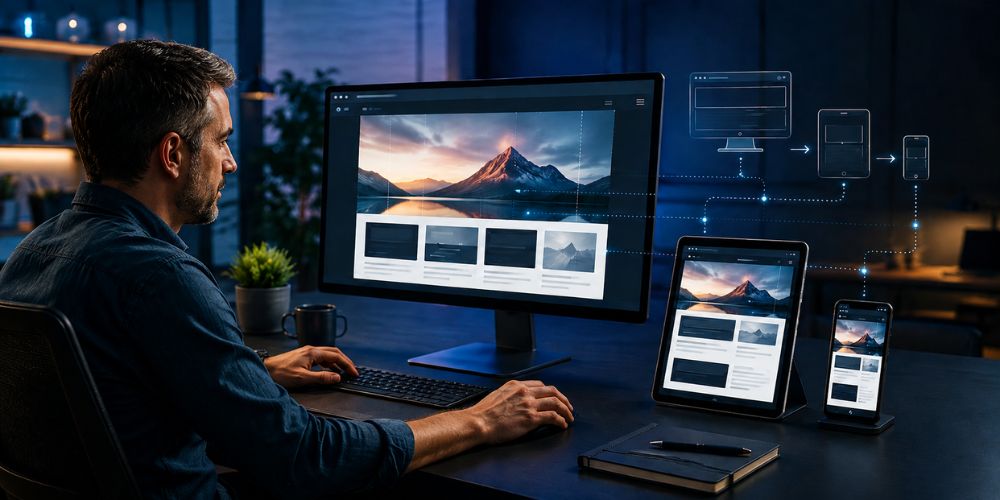
Instead of creating separate websites for desktop, tablet, and mobile users, you create one flexible website that adjusts itself according to the device being used.
For example, a desktop website may display three columns across a wide screen. On a smartphone, those columns can automatically stack vertically so that the content remains readable and easy to navigate.
A responsive website may adjust:
Page layout
Image and video sizes
Font sizes
Spacing and margins
Navigation menus
Buttons and forms
Columns and content sections
Videos, tables, and other interactive elements
The goal is not simply to make a website smaller. The goal is to make it functional, attractive, and easy to use on every screen.
What is the Difference Between Responsive and Mobile-Friendly Design?
The terms “responsive” and “mobile-friendly” are often used interchangeably, but they are not always exactly the same.
A mobile-friendly website may work on a smartphone but still require excessive scrolling, small buttons, or awkward navigation. A responsive website is designed to adapt smoothly across a wide range of screen sizes.
Responsive design focuses on:
Flexible layouts
Readable content
Touch-friendly controls
Easy navigation
Properly scaled images
Consistent functionality
A website should allow users to complete the same important tasks on a phone that they can complete on a desktop, such as reading an article, submitting a form, making a purchase, or contacting a business.
Why is Responsive Design So Important?
1. Most Users Browse on Multiple Devices
Your visitors may discover your business on a smartphone, research your services on a tablet, and complete a purchase on a laptop. If your website works well on only one device, you may lose potential customers at another stage of their journey. Responsive design creates a consistent experience regardless of how visitors access your website.
2. It Improves User Experience
Visitors expect websites to be simple and convenient. They should not need to pinch, zoom, or scroll horizontally to understand your content. A responsive website makes it easier for users to read your content, find information, navigate between pages, click buttons, complete forms, view products, and contact your business. When users have a positive experience, they are more likely to stay longer, explore your website, and return in the future.
3. It Supports Search Engine Optimisation
Search engines consider mobile usability and overall page experience when evaluating websites. Responsive design also gives each page one main URL, making it easier for search engines to crawl, index, and understand your content. With one responsive website, you can avoid the complications of managing separate desktop and mobile versions, including duplicated content, inconsistent updates, and divided analytics. Responsive design does not automatically guarantee high rankings, but it creates a stronger technical foundation for SEO.
4. It Can Improve Conversions
A visitor who cannot read your service information or tap your enquiry button is unlikely to become a customer. Responsive design removes unnecessary obstacles from important actions such as requesting a quote, booking an appointment, completing a purchase, signing up for a newsletter, downloading a resource, or calling your business. Better usability can contribute to more enquiries, sales, registrations, and bookings.
5. It Reduces Maintenance
Maintaining separate websites for desktop and mobile devices can require additional development, testing, and content updates. With responsive design, you manage one website and one content system. When you update a page, image, product, or offer, the change can appear across all screen sizes. This can save time, reduce development costs, and lower the risk of inconsistent information.
6. It Helps Your Brand Look Professional
A website is often the first interaction someone has with your business. If it looks broken or is difficult to use on a mobile device, visitors may question the reliability of your brand. A responsive website helps create a professional, trustworthy, and consistent impression across every device.
How Does Responsive Design Work?
Responsive websites rely on several key techniques.
Flexible Grids and Layouts
Traditional websites often use fixed widths. These layouts may look acceptable on a large desktop screen but overflow on smaller devices.
Responsive layouts use flexible measurements such as percentages, relative units, CSS Grid, and Flexbox. This allows sections to expand or contract according to the available screen width.
CSS Media Queries
Media queries allow developers to apply different styles at different screen widths.
For example:
Desktop screens may show a horizontal navigation bar.
Tablet screens may show fewer columns.
Mobile screens may use a menu icon and a single-column layout.
Media queries can also respond to orientation, screen resolution, and other device features.
Responsive Images
Large, unoptimised images can slow down mobile pages. Responsive image techniques allow the browser to load a suitable image size for the user’s device.
A common CSS rule is:
img {
max-width: 100%;
height: auto;
}
This prevents images from extending beyond their containers while preserving their proportions.
Responsive Typography
Text must remain readable on every device. Responsive typography adjusts font sizes, line heights, and spacing so that headings do not overwhelm small screens and body text remains comfortable to read.
Viewport Configuration
A viewport setting tells mobile browsers how to display and scale a webpage. Without the correct viewport configuration, a page may appear extremely small on a phone.
A separate mobile website may still be suitable in certain legacy systems or specialised situations. However, responsive design is generally the simpler and more scalable option for most modern businesses.
How Do You Make Your Website Responsive?
1. Start With a Mobile-First Approach
Design the smallest screen experience first. Prioritise the most important content and actions, then enhance the layout for tablets and desktop screens.
2. Use Flexible Layouts
Avoid designing every section with fixed pixel widths. Use percentages, max-width, CSS Grid, and Flexbox to create layouts that can expand and contract.
3. Choose Practical Breakpoints
Breakpoints are screen widths where the layout changes. Do not create breakpoints for every individual device. Instead, choose breakpoints based on where your content starts to look crowded or difficult to use.
4. Optimise Images and Videos
Compress images, use modern formats such as WebP where appropriate, and apply lazy loading to media that is below the fold.
5. Improve Mobile Navigation
Use clear menus, readable labels, and touch-friendly controls. Important pages should be accessible without excessive tapping.
6. Make Forms Easy to Complete
Use large input fields, clear labels, suitable keyboard types, and a short form structure. Avoid forcing mobile users to complete unnecessary fields.
7. Prevent Horizontal Scrolling
Check tables, images, buttons, videos, and long text strings to ensure they do not extend beyond the viewport.
8. Improve Loading Performance
Responsive design and website speed work together. Reduce unnecessary scripts, reduce unused CSS, optimise fonts, and use browser caching where possible.
9. Consider Accessibility
Use sufficient colour contrast, descriptive link text, keyboard-friendly controls, visible focus states, and meaningful alternative text for images.
How Do You Test Web Responsiveness?
Testing should be part of both the design and launch process.
Check your website on:
Small smartphones
Large smartphones
Tablets
Laptops
Desktop monitors
Portrait and landscape orientations
Review the following elements:
Does the navigation work?
Is the text easy to read?
Are buttons large enough to tap?
Do images fit inside the screen?
Do forms work correctly?
Is any content hidden unintentionally?
Does the page load quickly?
Is there unwanted horizontal scrolling?
Do pop-ups and cookie notices work on mobile?
How Do You Check if Your Website is Responsive?
Resize Your Browser Window
Open your website on a desktop and gradually reduce the browser width. A responsive layout should rearrange itself smoothly instead of breaking or overflowing.
Use Chrome DevTools
In Google Chrome:
Open the website.
Right-click and select Inspect.
Click the Toggle device toolbar icon.
Select different phones and tablets.
Test different widths and orientations.
This is useful for finding layout issues during development.
Test on Real Devices
Browser emulators are helpful, but they cannot reproduce every real-world condition. Test important pages on actual phones and tablets, especially pages containing forms, menus, checkout processes, or booking systems.
Run Lighthouse or PageSpeed Insights
Google Lighthouse can identify issues related to mobile usability, performance, accessibility, and SEO. PageSpeed Insights can also provide recommendations for improving loading performance.
Remember that a good score is helpful, but it does not replace human testing. A page can score well and still feel confusing to real users.
Common Responsive Design Mistakes
Avoid these common problems:
Designing only for desktop screens
Using fixed-width containers
Making text too small
Creating buttons that are difficult to tap
Using oversized images
Allowing horizontal scrolling
Hiding important information on mobile
Using intrusive pop-ups
Forgetting tablet users
Testing only on one browser
Focusing only on screen size and ignoring usability
Failing to test forms and ecommerce functions
Responsive Web Design Checklist
Before launching or updating your website, confirm that:
The layout works on mobile, tablet, and desktop.
Images resize without distortion.
Text is readable without zooming.
Buttons are touch-friendly.
Navigation is simple.
Forms are easy to complete.
No important content is cut off.
No horizontal scrolling appears.
Pages load efficiently.
The website works across major browsers.
Accessibility basics are included.
Analytics and conversion tracking work correctly.
Is Your Website Not Fully Responsive? Let’s Fix It
A website that does not work properly on mobile devices can frustrate visitors and result in lost enquiries, sales, and bookings. Our website design services can help identify and fix layout, navigation, speed, image, and usability issues across all screen sizes. We create responsive, professional, and user-friendly websites that provide a smooth experience on smartphones, tablets, laptops, and desktops. Contact us today to improve your website and reach more customers.
Conclusion
Responsive web design helps one website work smoothly across different devices while preserving usability, performance, and brand consistency.
It is important because users expect websites to work smoothly wherever they access them. A responsive website can improve the browsing experience, support SEO, reduce maintenance, strengthen credibility, and help more visitors become customers.
If your website requires zooming, awkward scrolling, or repeated tapping on mobile, it may be time for a responsive design review. Start by testing your key pages on real devices, identifying usability problems, and improving the layout with a mobile-first approach.