
Ecommerce Digital Marketing Strategy: A Complete Guide

You can have the best products, fair prices and a beautiful website, and still sell almost nothing. Online, nobody simply finds your store by accident. Shoppers find brands through Google, social feeds, inboxes, AI assistants and recommendations from people they trust. If you’re not showing up in those places, you effectively don’t exist.

That’s what ecommerce digital marketing solves. In this guide, you’ll learn the channels that actually move sales, how to make them work together, and where to start if your budget and time are limited.

Why is Digital Ecommerce Marketing So Important?

Online shopping keeps taking a larger share of retail every year. SAP Engagement Cloud, citing Shopify data, puts ecommerce at more than 21% of global retail sales. More shoppers means more opportunity, but also far more competition for the same attention.

A solid digital marketing strategy helps you:

  • Reach the right buyers, not just more people. Digital channels let you target by search intent, interests, location and past behavior.
  • Compete with bigger brands. A small store with sharp SEO and a well-run email list can outsell a larger competitor that relies on discounts alone.
  • Lower your cost of acquiring customers over time, as organic traffic, email subscribers and repeat buyers reduce your reliance on paid ads.
  • Build loyalty and repeat sales. Your second, third and tenth purchase from the same customer is where most ecommerce profit lives.
  • Measure everything. Unlike a billboard, you can see exactly which channel, campaign and even keyword produced each sale.

1. Use SEO to Improve Your Website

Ecommerce SEO helps people who are already looking for your products find you, without paying for every click. It’s slower than ads, but the results compound, a page that ranks today can keep bringing in buyers for years.

Research the Right Keywords

Start by understanding the words your customers actually use. Think in two groups:

  • Buying keywords for product and category pages, e.g. “women’s leather ankle boots” or “buy organic green tea online”.
  • Research keywords for blog posts and guides, e.g. “how to clean suede boots” or “green tea vs matcha”.

Useful tools include Google Keyword Planner (free), Google Search Console, Ahrefs, Semrush and Ubersuggest. Look for long-tail phrases (three or more words). They have lower search volume but less competition and much higher purchase intent.

Also check what your competitors rank for. Any keyword that brings them traffic and is missing from your site is a ready-made opportunity.

Optimize Your Content

Each page on your store should target one main keyword and a few close variations. Trying to rank one page for twenty keywords usually means it ranks for none.

  • Product Pages: Write original descriptions. Copying the manufacturer’s text means you’re competing with every other store that did the same. Cover what buyers want to know, size, materials, use cases, care instructions and who it’s for.
  • Category Pages: Add a short, helpful introduction above or below the product grid. Category pages often rank for broader, high-value terms.
  • On-page Basics: Put the main keyword in the title tag, H1, URL and meta description. Write descriptive alt text for product images.
  • Reviews and Q&A: Customer reviews add fresh, unique content to product pages and answer objections in buyers’ own words.

Fix Technical SEO Issues

Great content won’t rank if search engines struggle to crawl your site or visitors leave because it’s slow. Prioritize:

  • Speed and Core Web Vitals: Compress images, use a fast host and limit heavy apps and scripts.
  • Mobile Experience: Most ecommerce traffic now comes from phones, so test every key page on a real device.
  • Site Structure: Keep important products within a few clicks of the homepage, with logical categories and breadcrumbs.
  • Structured Data: Add product schema (price, availability, ratings) so your listings can show rich results in Google.
  • Duplicate Content: Filters, sorting options and product variants can create many near-identical URLs. Use canonical tags to point search engines to the main version.
  • Out-of-stock and Discontinued Products: Don’t just delete them. Keep temporarily unavailable pages live, and redirect permanently discontinued ones to the closest alternative.
  • HTTPS and Trust Signals: A secure site, clear contact details and visible policies help both rankings and conversions.

Put Effort into Building Backlinks

Backlinks are links from other websites to yours. Search engines treat them like votes of confidence, and a link from a respected, relevant site counts for far more than dozens from low-quality directories. Practical ways for online stores to earn links:

  • Digital PR: Pitch product launches, founder stories or interesting data to journalists and niche publications.
  • Gift guides and Roundups: Bloggers and media constantly publish “best of” lists, especially before holidays.
  • Supplier and Partner Links: Ask manufacturers, brands you stock or collaborators to list you as a retailer.
  • Linkable Content: Original research, sizing tools, in-depth buying guides and free resources naturally attract links.
  • Guest Posts: Write genuinely useful articles for relevant sites in your niche.

Avoid buying links in bulk. It’s against Google’s guidelines and can harm your rankings.

Don’t Ignore AI Search

Shoppers increasingly ask AI assistants and Google’s AI-generated answers for product recommendations. To improve your chances of being mentioned:

  • Answer common questions clearly and directly on your pages (FAQs help here).
  • Keep product information complete and consistent across your site, marketplaces and Google Merchant Center.
  • Build a reputation beyond your own site through reviews, press mentions and community discussions.

The same fundamentals that help traditional SEO (clear, trustworthy, well-structured content) also help you show up in AI answers.

2. Have an Ecommerce PPC Strategy

Pay-per-click (PPC) advertising means you pay each time someone clicks your ad. Where SEO takes months, PPC can put your products in front of buyers today. It’s also the fastest way to test which products, prices and messages work.

Search Ads

Search ads appear at the top of search results when people type in specific keywords. Because the person is actively looking, intent is high.

Tips for better results:

  • Start with specific, high-intent keywords (“buy”, product names, model numbers) before moving to broad terms.
  • Add negative keywords to block irrelevant searches, like “free”, “DIY” or “jobs”.
  • Send each ad to the most relevant page, not your homepage.
  • Bid on your own brand name so competitors can’t take those buyers.

Product Listing Ads (Shopping Ads)

Shopping ads show a product image, price, store name and often star ratings directly in search results. For most online stores, they’re the highest-converting ad format, because shoppers can compare before they click.

To run them, you’ll need a Google Merchant Center account and a product feed. Feed quality makes a big difference:

  • Write clear product titles with the brand, product type and key attributes (color, size, material).
  • Use high-quality images on a clean background.
  • Keep prices and stock status accurate and up to date.

Google’s Performance Max campaigns can also run your products across Search, Shopping, YouTube, Display and Gmail from a single campaign. They’re powerful, but watch results closely and feed them good-quality conversion data.

Display Ads and Retargeting

Display ads are visual banners shown across websites, apps and YouTube. They work best in two situations:

  • Retargeting: Reaching people who viewed a product or abandoned a cart and reminding them to come back, sometimes with a small incentive.
  • Awareness: Introducing your brand to new audiences who are “in market” for products like yours.

Display clicks usually cost less than search clicks, but conversion rates are lower too, so judge them on return, not cost per click.

Keep PPC Profitable

The metric that matters most is ROAS (return on ad spend), revenue from ads divided by ad cost. Know your break-even ROAS based on your profit margins, set daily budgets you can afford, and review search term reports weekly to cut wasted spend. Paid social (Meta, TikTok, Pinterest ads) follows the same principles.

3. Content is King

Content does more than help you rank. Good content educates shoppers, builds trust in your expertise, answers objections and nudges people toward buying.

Content formats that work well for online stores:

  • Buying Guides: “How to choose the right running shoes for flat feet.”
  • Comparison Posts: “Cotton vs linen bedding: which is better for hot sleepers?”
  • How-to Tutorials: Styling ideas, recipes, setup guides or care instructions.
  • Product Videos and Demos: Show size, texture and real-life use in a way photos can’t.
  • User-generated Content (UGC): Customer photos, reviews and videos are some of the most persuasive content you can publish, because they come from real buyers.

Map content to each stage of the buying journey. Educational posts attract people who are just researching. Guides and comparisons help those deciding. Reviews, UGC and FAQs reassure buyers right before checkout. Always link from content to relevant products so readers have a clear next step.

AI writing tools can speed up production, but use them as an assistant, not a replacement. Add your own product knowledge, real photos and customer insight; that’s what makes content trustworthy and hard to copy.

4. Social Media Strategy for Ecommerce

Social media is no longer just for awareness. With TikTok Shop, Instagram Shopping and Facebook Shops, customers can discover, research and buy without leaving the app.

Choose the Right Platforms

You don’t need to be everywhere. Focus on where your customers spend time:

  • Instagram and Pinterest: Visual products like fashion, beauty, home décor and food.
  • TikTok: Products that demo well in short videos, especially for younger audiences.
  • Facebook: Broad reach, community groups and strong ad targeting.
  • YouTube: Detailed reviews, tutorials and higher-priced products that need explaining.
  • LinkedIn: B2B ecommerce.

Post with a Plan

Use a content calendar and mix your posts. Too much selling turns people off. A good balance includes educational posts, entertaining or behind-the-scenes content, customer stories and UGC, and promotions and launches.

Short-form video tends to get the most reach on most platforms right now, so prioritize it if you can.

Engage, Don’t Just Broadcast

Reply to comments, messages and reviews quickly. Join conversations where your audience asks questions you can answer. Engagement builds loyalty and signals to algorithms that your content is worth showing.

Finally, use social media to grow channels you own. Encourage followers to join your email or SMS list, so you aren’t completely dependent on algorithm changes.

5. Email Marketing

With SEO, ads and social, you’re playing on someone else’s platform. Algorithms change, ad prices rise and reach drops. Your email list is different, you own it, and you can reach subscribers whenever you choose.

Customers also prefer it. SAP’s 2025 Customer Loyalty Index found that 69% of consumers name email as their preferred way to hear from brands.

Grow Your List

Offer a clear reason to sign up, such as a first-order discount, free shipping, early access to sales or a useful guide. Use a well-timed pop-up and add sign-up forms to your footer, checkout and blog.

Set Up Key Automated Flows

These automations run in the background and typically drive a large share of email revenue:

  • Welcome Series: Introduce your brand, best-sellers and story to new subscribers.
  • Abandoned Cart: Remind shoppers about items left in their cart.
  • Browse Abandonment: Follow up on products someone viewed but didn’t add to cart.
  • Post-Purchase: Thank customers, share usage tips and ask for a review.
  • Win-Back: Re-engage customers who haven’t bought in a while.

Segment and Personalize

Split your list by behavior and preferences, for example new vs repeat buyers, product categories browsed, or high-value customers. Then send offers that match. The same SAP research found 23% of consumers say generic “batch-and-blast” messages actively damage their loyalty, so relevance matters more than volume.

SMS and WhatsApp can complement email for time-sensitive messages like flash sales and delivery updates. Always get clear permission first.

6. Influencer Marketing

The right creator can introduce your products to a highly engaged audience that already trusts their recommendations.

Pick Relevance over Reach

An influencer’s audience must match your customers. Huge follower counts mean little if those followers would never buy your product. A common cautionary tale is the Instagram creator with over two million followers who reportedly couldn’t sell 36 T-shirts.

Consider Micro-Influencers

Creators with roughly 10,000 to 100,000 followers are often cheaper, more trusted within their niche and more engaged than celebrity accounts. Working with several micro-influencers can also show you which audiences respond best.

Measure What Matters

Look past likes and views. Give each creator a unique discount code or tracked link so you can measure clicks, sales and new customers. Set clear expectations in writing (deliverables, timelines, usage rights and disclosure). Paid partnerships must be labeled as ads in most countries.

You can also turn your best creators into long-term ambassadors or affiliates, and reuse their content (with permission) in ads and on product pages.

7. Conversion Rate Optimization (CRO)

Conversion rate optimisation means increasing the percentage of visitors who take an action, usually making a purchase. It’s often the cheapest way to grow revenue, because it makes every other channel more profitable.

High-impact CRO improvements:

  • Simplify Checkout: Offer guest checkout, cut unnecessary form fields and show a progress indicator.
  • Offer Popular Payment Options: Digital wallets (Apple Pay, Google Pay, PayPal), local payment methods and buy-now-pay-later where relevant.
  • Be Upfront about Costs: Surprise shipping fees at checkout are one of the biggest causes of abandoned carts. Show costs early, or set a free-shipping threshold.
  • Add Trust Signals: Customer reviews, secure payment badges, clear return policies and money-back guarantees.
  • Improve Product Pages: Multiple high-quality images, video, size guides and clear calls to action.
  • Speed up Your Site: Even small delays can increase drop-off, especially on mobile.
  • Create Honest Urgency: Low-stock alerts and limited-time offers work, but only if they’re real.
  • A/B Test: Test one change at a time (headlines, button text, images, offers) and let data decide.

Tools like Google Analytics, Hotjar or Microsoft Clarity show where visitors drop off and how they move through your pages, so you know what to fix first.

How to Measure Your Ecommerce Marketing Results

Track a small set of metrics consistently rather than everything at once:

  • Conversion Rate: Percentage of visitors who buy.
  • Average Order Value (AOV): Average spend per order.
  • Customer Acquisition Cost (CAC): Total marketing spend divided by new customers.
  • ROAS: Revenue from ads divided by ad spend.
  • Customer Lifetime Value (CLV): Total revenue a customer brings over time.
  • Repeat Purchase Rate: Share of customers who buy more than once.
  • Cart Abandonment Rate: Share of carts that don’t turn into orders.

A healthy store aims for a CLV comfortably higher than its CAC. Set up GA4 with ecommerce tracking, connect your ad platforms, and review results monthly.

Where Should You Start? A Simple Roadmap

You don’t have to do everything at once. Here’s a sensible order for most new or small stores:

  1. Fix the Foundation: Site speed, mobile experience, checkout and trust signals.
  2. Set up Email Capture and Core Automations: Welcome and abandoned-cart flows pay off quickly.
  3. Launch Shopping Ads and Branded Search: Start with your best-selling products and a controlled budget.
  4. Build SEO and Content Steadily: Optimize key product and category pages, then publish helpful guides.
  5. Pick One or Two Social Platforms: Go deep rather than wide.
  6. Test Influencer Partnerships: Start small with micro-influencers and track results.

Get Your Free Ecommerce Store Audit

Not sure where to start, or what’s holding your store back? Growth Metrics Ltd offers to audit your website, marketing channels and conversion funnel at no cost. You’ll get a personalised report showing exactly where you’re leaving money on the table and which fixes will have the biggest impact on your revenue. No obligations. No generic templates. Just clear, data-backed recommendations tailored to your store.

Conclusion

Ecommerce digital marketing isn’t about doing every tactic at once. It’s about building a system where each channel supports the others. SEO and content bring in steady traffic, PPC captures buyers who are ready now, social media and influencers build awareness and trust, email turns one-time buyers into loyal customers, and CRO makes sure all that effort turns into sales.

Start with your foundation, choose two or three channels that suit your products and budget, measure everything, and keep improving.
Understand Programmatic SEO and Its Importance

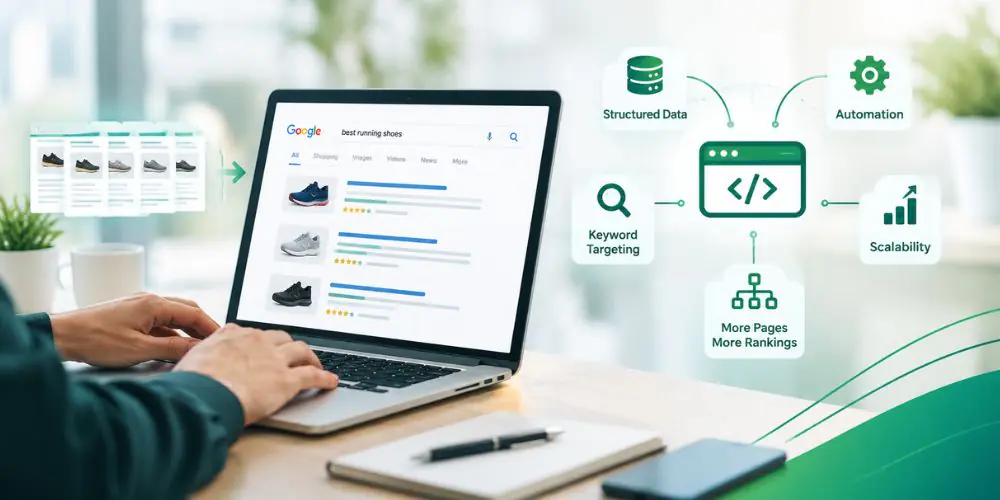
Search engine optimisation can become difficult to manage when a website needs to target hundreds or thousands of related search queries. Creating every page manually takes time, especially when those pages follow a similar structure. This is where programmatic SEO can help. Programmatic SEO uses templates, structured data and automation to create large numbers of search-focused pages. Instead of building every page from scratch, you create a flexible system that can produce relevant pages based on different products, locations, services or other data. But creating more pages does not automatically mean getting more organic traffic. Each page still needs to provide something useful to the person searching.

What is Programmatic SEO?

Programmatic SEO is an approach to SEO that uses automation and structured data to create multiple pages targeting related search queries. For example, imagine a travel website targeting searches for hotels in different cities. Rather than manually creating separate pages for every location, the website can use a page template connected to a database. The template could automatically add information such as:
  • Destination name
  • Available hotels
  • Prices
  • Ratings
  • Local attractions
  • Images
  • Useful travel information
The same basic structure can then be used for many different locations while the information on each page changes according to the destination. The goal is not simply to create thousands of URLs. The goal is to create useful pages that match specific searches at scale.

How Does Programmatic SEO Work?

Programmatic SEO starts by finding a group of related searches that follow a similar pattern. You can then use structured data and a page template to create pages that target those searches at scale. For example, a travel website might target: Hotels in London Here, London is the variable. It could be replaced with different cities, regions or countries. Once the pattern is identified, the website can use its database to automatically add the relevant information for each location. The process can be broken down into five simple steps:

1. Find a Search Pattern

Identify related searches with a repeatable structure, such as “Hotels in London”.

2. Collect Structured Data

Gather the information needed for each page, such as hotel names, prices, ratings, locations and other relevant details.

3. Create a Page Template

Build a template that can use this data to create consistent page layouts.

4. Generate the Pages

Use the template and database to create multiple pages based on different locations or other variables.

5. Optimise and Monitor

Check each page for search intent, content quality, internal links, indexing and performance. The important point is that programmatic SEO should not mean creating identical pages with only a keyword or location changed. Each page should contain relevant information and useful features that match what people are actually searching for.

Programmatic SEO vs Traditional SEO

Programmatic SEO and traditional SEO have the same overall goal, helping relevant pages appear in search results. The main difference is how those pages are created and scaled. Traditional SEO usually involves creating and optimising pages individually. This works well when each topic needs detailed research, original insights or a different content structure. Programmatic SEO is more useful when you have a large number of similar pages that can be created from structured information. For example, a website may have hundreds of products, locations, properties or job listings. Building each page manually may take considerable time, while a properly designed system can handle repetitive elements automatically. This does not mean programmatic SEO replaces traditional SEO. Many successful websites use both approaches.

Why is Programmatic SEO Important?

The biggest advantage of programmatic SEO is scale. A website with thousands of relevant search opportunities may not have the resources to create every page manually. Automation can reduce repetitive work and make it easier to expand organic search coverage. It can also help businesses:
  • Target more specific search queries
  • Create location or product pages at scale
  • Make better use of structured data
  • Keep similar pages consistent
  • Reduce repetitive manual work
  • Expand into new search opportunities
However, scale should come after quality. Creating 10,000 weak pages is unlikely to be more useful than creating 500 strong pages that properly answer what people are searching for.

Examples of Programmatic SEO

Programmatic SEO can work across many industries where websites have large amounts of structured information.

Travel Websites

Travel websites are a natural fit because people search for destinations, hotels, attractions, restaurants and activities in many different combinations. A website could create pages such as:
  • Hotels in Manchester
  • Things to do in Edinburgh
  • Family hotels in Barcelona
  • Weekend breaks in Amsterdam
Each page can use destination-specific information, listings, prices, reviews and other useful details.

Ecommerce Websites

Ecommerce websites can use programmatic SEO to create pages around products, categories, brands, sizes, colours and other attributes. For example:
  • Running shoes for men
  • Black leather handbags
  • Size 10 football boots
  • Waterproof hiking jackets
The pages can be generated using product catalogue data while keeping the structure consistent. The important part is making sure these pages provide genuine value. If hundreds of pages contain almost the same products and information, there may be little reason for users or search engines to treat them as separate useful resources.

Real Estate Websites

Property websites often have large amounts of structured data, making them suitable for programmatic SEO. Pages could target searches such as:
  • Houses for sale in Birmingham
  • Flats to rent in Leeds
  • Two-bedroom homes in Bristol
  • Apartments for sale in a specific postcode
Property listings, prices, locations, property types and other local information can be used to create pages that match these searches.

Job Boards

Job websites can create pages based on job titles, locations, industries and employment types. Examples include:
  • Marketing jobs in London
  • Remote SEO jobs
  • Software developer jobs in Manchester
  • Part-time retail jobs in Birmingham
The page can automatically update as new jobs are added or old listings expire.

How to Build a Programmatic SEO Strategy

Programmatic SEO needs more planning than simply generating pages from a spreadsheet. A strong strategy should cover the following steps.

1. Find Scalable Search Opportunities

Start by looking for search queries that follow a clear pattern. You might find opportunities around:
  • Locations
  • Products
  • Services
  • Categories
  • Job titles
  • Property types
  • Product attributes
Look for groups of searches where users have similar needs but the specific details change. For example, “SEO agency in the UK” follows a clear pattern, but that does not mean every possible city deserves a page. You still need to check search demand, competition and whether your business can offer useful information for each location.

2. Build a Structured Data Set

Your pages will only be as useful as the data behind them. Depending on your website, your database might contain:
  • Product information
  • Prices
  • Locations
  • Reviews
  • Property details
  • Job listings
  • Service information
  • Ratings
  • Images
Keep this information accurate and organised. If incorrect data is automatically added to hundreds of pages, the problem can spread across the entire site.

3. Create a Flexible Page Template

Once you know what information each page needs, create a template that can handle different data. The template may include:
  • Page title
  • Main heading
  • Introduction
  • Product or service information
  • Supporting data
  • Images
  • FAQs
  • Related pages
  • Internal links
  • Structured data
The layout can remain consistent while the actual information changes according to the page.

4. Match the Page to Search Intent

Keyword patterns alone are not enough. Each page should be created around what the user actually wants to find.
  • “Hotels in Liverpool”, users may want hotel listings, prices, reviews and availability.
  • “Best hotels in Liverpool for families”, users may be looking for family-friendly facilities, suitable room types and nearby attractions.
  • Different search intent requires different content, the page should provide information that directly matches the reason behind the search.
  • Focus on usefulness, avoid creating pages that only change the keyword or location while offering the same information.

5. Make Each Page Useful

This is one of the most important parts of programmatic SEO. Avoid simply changing one word on hundreds of otherwise identical pages. Instead, use relevant data and useful features to make pages genuinely helpful. Depending on the website, this could include:
  • Local information
  • Product comparisons
  • Reviews
  • Pricing
  • Availability
  • Specifications
  • Useful statistics
  • Related options
  • FAQs
The more useful the page is, the stronger the reason for it to exist.

6. Build Internal Links

When a website has hundreds or thousands of pages, it can become difficult for users and search engines to find the right content. Internal links help connect related pages and make the site easier to navigate. A good internal linking structure can include:
  • Travel websites: Link country pages to cities, then connect those cities to relevant hotels and individual hotel listings.
  • Ecommerce Websites: Link category pages to subcategories, brands and individual products.
  • Related Pages: Connect pages that provide useful information about the same topic, product or location.
  • Important Pages: Link to pages that are important for traffic, sales or conversions so they are easy to find.
  • Simple Navigation: Keep the linking structure clear so users can move between related pages without confusion.
The goal is to make every internal link useful for the user while helping search engines understand how different pages on your website are connected.

7. Manage Indexing Carefully

Not every automatically generated URL needs to appear in Google’s index. Websites can create thousands of combinations through filters, sorting options and other features. Indexing all of them can create unnecessary pages and make crawling less efficient. Review your generated URLs and decide which pages genuinely deserve to be indexed. Pay attention to:
  • Canonical URLs
  • XML sitemaps
  • Robots.txt
  • Duplicate pages
  • Crawl errors
  • Indexation
  • URL structure

8. Monitor Performance

Once your pages are live, keep checking how they perform. Look at:
  • Organic impressions
  • Clicks
  • Rankings
  • Indexation
  • Organic traffic
  • Engagement
  • Conversions
  • Crawl issues
You may find that some page types perform well while others receive little visibility. Use this information to improve the templates and focus your efforts on the areas producing useful results.

Common Programmatic SEO Mistakes

Programmatic SEO can create problems when websites focus on page volume instead of value.

Creating Too Many Pages

More pages do not automatically mean more traffic. If a website creates thousands of pages with little search demand or useful information, those pages may simply add unnecessary content to the site.

Creating Duplicate Pages

Pages that are almost identical can struggle to provide a clear reason for existing separately. Make sure each page has a clear purpose and enough relevant information to satisfy its target search.

Ignoring Search Intent

A page can target the right keyword but still fail if it does not provide what users expect. Always check the search results and understand what type of page Google is showing for the query.

Using Poor or Outdated Data

Programmatic pages depend heavily on the information being pulled into them. If prices, listings, availability or other information becomes outdated, users may quickly lose trust in the website.

Publishing Without Testing

Do not generate thousands of pages and immediately publish them all. Start with a smaller group. Check the content, technical setup, internal links, indexing and user experience before expanding.

Common Misconceptions About Programmatic SEO

Programmatic SEO Is Spam

Programmatic SEO itself is not spam. The problem comes when automation is used to create large numbers of low-quality, repetitive or unhelpful pages. A properly planned programmatic strategy can create useful pages at scale while still focusing on users.

Programmatic SEO is Only for Large Companies

Large websites often have more data and technical resources, but smaller businesses can also use programmatic SEO. A small website might only need a few dozen or a few hundred pages based on locations, services or products. The strategy should match the size of the business and the available search opportunities.

You Need Thousands of Pages to Benefit

You do not need thousands of pages for programmatic SEO to be useful. The important factor is whether you have a repeatable search opportunity that can be served with useful, relevant pages.

Best Practices for Programmatic SEO

Keep these principles in mind when building a programmatic SEO strategy:
  • Focus on search intent, not just keyword variations.
  • Start with a small number of pages and test the results.
  • Use accurate and useful data.
  • Make every page valuable to the user.
  • Avoid pages with little or no unique value.
  • Build a clear internal linking structure.
  • Keep generated information up to date.
  • Review indexation regularly.
  • Monitor rankings, traffic and conversions.
  • Improve templates based on real performance.

Is Programmatic SEO Right for Your Website?

Programmatic SEO can be a good option for websites with a large amount of structured data and many related search opportunities. It can work particularly well for websites with:
  • Large product catalogues
  • Multiple locations
  • Property listings
  • Job listings
  • Travel information
  • Service variations
  • Other data-driven content
It may not be worth using if your website only has a small number of pages or there are not enough relevant search variations to justify creating additional pages. In those cases, investing in strong individual pages may be a better approach.

Need Help With Your SEO Strategy?

Improving your search rankings takes the right strategy, from technical SEO and on-page optimisation to content and link building. At Growth Metrics Ltd, we help businesses identify SEO opportunities, fix issues and build a strategy focused on long-term organic growth. Whether you are starting with SEO or looking to improve your existing results, our team can help you understand what is holding your website back and what to focus on next.

Conclusion

Programmatic SEO gives businesses a way to expand their organic search presence without manually creating every page. The real opportunity is not simply automation. It is using structured data, scalable templates and strong SEO practices to create useful pages that match specific searches. When done well, programmatic SEO can help websites cover a wider range of relevant searches, improve organic visibility and reach users with more specific needs. But scaling too quickly can create duplicate, thin or low-value pages. Start with a clear search opportunity, build useful templates, test a smaller group of pages and use performance data to decide where to expand.

10 Effective Digital Marketing Strategies for Business Growth

Publishing social posts, running advertisements and writing blog articles can keep a marketing team busy. But activity alone does not tell you whether your business is attracting suitable customers.

Effective digital marketing strategies connect your business goals with your audience, your message and the channels you use. They also provide a way to assess whether your work leads to enquiries, sales or repeat business.

The right approach depends on what you sell, how customers choose it and the resources available to you. A local electrician, an online clothing shop and a business consultancy will rarely need the same marketing plan.

This guide explains ten practical strategies, when each can help and how to bring them together into a manageable plan.

What is a Digital Marketing Strategy?

A digital marketing strategy is a plan for reaching business objectives through online channels. It identifies the customers you want to reach, the problems you help them solve and the actions you want them to take. It also explains how you will allocate resources and measure progress.

A strategy differs from a tactic. Publishing a video is a tactic. Using product demonstration videos to help hesitant shoppers understand an unfamiliar product is part of a strategy. A useful plan answers five questions:

  • Who are we trying to reach?
  • What do those customers need?
  • Why should they choose our business?
  • Where can we reach them effectively?
  • How will we know whether the approach is working?

These answers should guide your channel choices before you invest heavily in content or advertising.

Build Your Foundations Before Choosing Channels

Marketing channels cannot compensate indefinitely for an unclear offer, a broken website or poor follow-up. Before launching campaigns, establish a business goal and check the customer journey.

Set a Specific Business Objective

“Get more visibility” is difficult to evaluate on its own. Connect visibility to an outcome that matters. For example, a fictional consultancy might aim to increase qualified consultation enquiries from 15 to 20 per month over the next quarter. That is a planning target, not a predicted result.

Define what makes an inquiry qualified. Consider service requirements, budget, location and the customer’s ability to make a purchasing decision.

Understand Your Audience

Review customer conversations, sales enquiries, support questions and reasons for lost business. Look beyond basic demographics. Find out what triggers a search, what customers compare and what prevents them from buying.

An accountancy firm may discover that prospective clients care more about responsiveness and clear fees than a long list of technical services. Its messaging should reflect that insight.

Check Your Offer and Website

Explain what you provide, who it suits and how customers take the next step. Test forms, booking systems and checkout processes. Confirm that enquiries reach the right person and receive a timely response. Once these foundations work, choose the strategies that best fit your business.

1. Use SEO to Reach Customers with Relevant Search Intent

Search engine optimisation services helps your website compete for unpaid visibility when people look for relevant information, products or services.

It can be useful where customers already search for what you offer. However, not every search attracts the same type of visitor.

Someone searching for “what is payroll software?” may be learning. Someone searching for “payroll software for a small UK business” may be comparing options.

Start with Important Commercial Pages

Make your main service, product and category pages clear and useful. Explain the offer, relevant pricing information, suitability and next steps. Address common concerns rather than relying on a short paragraph filled with keywords. Support these pages with sensible navigation and internal links.

Create Helpful Supporting Content

Use guides, comparisons and practical explanations to answer questions that arise before a purchase. Google’s guidance emphasises helpful, reliable content created for people. It encourages publishers to assess originality, evidence and whether a visitor receives a satisfying answer.

Measure Relevant Outcomes

Review which queries bring visitors and which pages generate useful enquiries. More traffic is valuable when it helps reach the right audience. A highly visited article unrelated to your services may contribute little to your commercial goals.

2. Create Content That Helps Customers Make Decisions

Content marketing gives prospective customers useful information before they are ready to contact you. A practical content plan follows the customer’s questions rather than filling a calendar with loosely related topics. Consider three stages:

Customer stage Useful content
Understanding a problem Explanations, tutorials and diagnostic guides
Comparing solutions Comparisons, pricing factors and selection checklists
Choosing a provider Case studies, demonstrations and process explanations

Answer Difficult Questions Clearly

Topics such as cost, limitations, suitability and alternatives can be especially useful because they address uncertainty. A website design agency could explain what affects project cost, which materials a client must provide and when a template-based website may be sufficient. That information helps readers judge the service before booking a call.

Add Evidence from Your Work

Use genuine examples, original photographs, demonstrations and relevant experience. A case study should explain the starting problem, the work completed and the outcome. Separate measured results from assumptions, and obtain permission where needed.

Choose a Sustainable Publishing Schedule

There is no universal requirement to publish a particular number of articles each week. Choose a pace that allows research, editing and useful updates. One strong guide may serve customers better than several rushed posts. Plan distribution alongside creation so useful content reaches its intended audience.

3. Use Paid Advertising to Test Demand and Attract Enquiries

PPC advertising can help you reach customers while building other channels. It also provides a way to test specific offers and messages. The important question is whether the traffic produces valuable outcomes at an acceptable cost.

Match the Advertising Channel to the Buying Situation

Search advertising may suit a service customers actively look for, such as commercial cleaning or appliance repairs. Social advertising may suit products that benefit from visual demonstration or discovery, such as home accessories or a new clothing collection. Start with a clear reason for choosing a channel.

Match the Landing Page to the Advertisement

If an advertisement promotes a particular service, send visitors to a page explaining that service. The page should carry through the offer, provide relevant evidence and make the next step obvious. Sending every campaign to a general homepage can create unnecessary confusion.

Measure Actions Before Increasing Spend

Define and test your conversion measurement. Google Ads supports measurement of valuable actions such as purchases, website enquiries, phone calls and relevant offline outcomes. Check lead quality as well as lead quantity. Cheap enquiries are not necessarily useful enquiries. Agree on a test budget and review criteria before launching. Increase spending when results justify it rather than because clicks are rising.

4. Use Email Marketing to Support Follow-Up and Repeat Business

Email can help maintain relationships with people who have chosen to hear from your business. It is particularly useful when customers need time to decide or when repeat purchases form an important part of the business.

Segment Messages by Customer Needs

A new subscriber, an active customer and someone interested in a specific service may need different information. Keep segmentation manageable. Start with meaningful distinctions rather than collecting information you will not use. For example, a training provider could separate enquiries about introductory courses from those about advanced training.

Build Useful Email Sequences

A welcome sequence can explain what subscribers will receive and direct them to helpful resources. A service enquiry sequence might answer common questions and explain the consultation process. A customer sequence might provide onboarding advice or relevant maintenance reminders. Each message should have a clear purpose.

Assess Newsletters by Their Value

A newsletter can be useful when subscribers expect and value it. Its effectiveness depends on the audience, content and purpose. Avoid sending messages merely because a date appears on the calendar. Make sign-up expectations clear, respect communication preferences and provide an easy unsubscribe option. Judge performance through useful clicks, enquiries and customer outcomes, alongside list health.

5. Choose Social Media Channels Your Audience Actually Uses

Social media can support discovery, demonstrate expertise and create conversations with customers. The best platform for your business is the one where you can reach a relevant audience with content you can produce well.

Give Each Platform a Purpose

A professional consultancy might use LinkedIn to discuss business problems and share expert perspectives. A furniture retailer might use visual platforms to show products in real homes. These are possible approaches to test, not rules for every business. Start with one or two platforms you can maintain properly.

Build Repeatable Content Themes

Useful themes might include customer questions, demonstrations, work examples and behind-the-scenes explanations. A landscaping company could show project stages, explain maintenance choices and answer questions about drainage or planting. This creates a recognisable purpose for the account.

Connect Attention to a Next Step

Make business details and relevant links easy to find. Where appropriate, direct people to a guide, product page, event registration or enquiry form. Monitor meaningful conversations and website actions alongside reach. A smaller relevant audience can be more valuable than a larger audience with little interest in buying.

6. Use Video to Explain and Demonstrate

Video can help customers understand something that is difficult to communicate through text alone. It may show how a product works, explain a service or demonstrate the experience a customer can expect.

Start with a Real Customer Question

Useful video topics include:

  • How does this product work?
  • What happens during an appointment?
  • Which option suits my needs?
  • What should I prepare before installation?

Choose the format and length around the answer.

A short demonstration may work well for a simple product feature. A detailed tutorial may need more time.

Prioritise Clarity

Good lighting, clear sound and a focused explanation matter more than elaborate production. Use captions where appropriate and show the product or process accurately. Avoid unsupported performance claims and customer testimonials that imply results everyone will receive.

Repurpose Thoughtfully

A detailed demonstration can supply shorter clips, website explanations and social posts. Edit each version for its audience and context. A clip should still make sense when viewed without the original video.

7. Improve Conversion Rates on Your Website

Conversion rate optimisation improves how effectively your website helps suitable visitors take action. Before attracting more traffic, check whether existing visitors encounter avoidable obstacles.

Identify Friction

Review the experience on mobile and desktop. Can visitors understand the offer quickly? Are prices or pricing factors clear? Do forms ask for unnecessary information? Are delivery details hidden until late in checkout?

Use enquiries and customer feedback to identify uncertainty.

Strengthen Relevant Trust Signals

Place genuine evidence near important decisions. This might include qualifications, product specifications, customer reviews, work examples or clear returns information. Choose evidence that addresses the customer’s concern. A service buyer may need to understand the process, while a shopper may need sizing guidance.

Test Changes Carefully

Start with a clear hypothesis. For example: “Explaining what happens after an enquiry may encourage suitable visitors to submit the form.” Avoid changing several unrelated elements and then assuming one caused an improvement. Where traffic is limited, combine measured behaviour with customer feedback. Do not declare a small fluctuation a proven result.

8. Build Credibility Through Partnerships, Referrals and Digital PR

Relevant partnerships can introduce your business to an audience that already trusts another organisation. Consider complementary businesses, professional associations, specialist publications and community networks.

Offer Something Useful

A photographer and an event venue might produce a planning resource together. A software provider might share an original study with an industry publication. The collaboration should benefit the audience and make sense for both organisations.

Make Referrals Easy

Explain who your service suits and how someone can introduce a prospective customer. Ask at an appropriate point in the relationship, such as after successful delivery. If you run a referral offer, keep the terms clear and separate it from public review requests.

Evaluate Audience Fit

A publication mention or partnership should be assessed through relevance, referrals and enquiries. A large audience is not automatically the right audience. Prioritise credible relationships connected to your market.

9. Use AI and Automation for Specific Marketing Tasks

AI can assist with drafting, organising information and generating ideas. Automation can make established processes more consistent. Begin with a task that already has a clear purpose.

Choose Practical Uses

Examples include:

  • Turning approved product details into initial copy variations.
  • Organising recurring questions into content topics.
  • Creating a first draft of an email sequence.
  • Routing enquiries to the appropriate team.
  • Sending an internal reminder when a lead needs follow-up.

Review the output against accurate business information.

Keep Human Review in the Process

Check claims, examples, tone and suitability before publishing. Do not invent customer stories, qualifications, reviews or results to make content appear credible. Google’s guidance asks publishers to consider who created content, how it was produced and why it exists. The focus should remain on useful content for the audience.

Automate a Process You Understand

A broken process can become more frustrating when automated. Define the trigger, action, exceptions and responsible person first. Ensure customers can reach a human when the situation needs judgement.

10. Use Measurement to Improve Your Strategy

Measurement helps decide what to keep, change or stop.

Start with the business outcome and work backwards to the indicators that help explain it.

Objective Useful measures
Generate enquiries Qualified leads, cost per qualified lead, lead-to-sale rate
Increase online sales Purchases, acquisition cost, order value and margin
Encourage repeat business Repeat purchase rate and retention
Improve relevant visibility Target-audience reach and relevant search discovery
Improve the website Conversion rate and successful customer journeys

Distinguish Leads from Customers

An enquiry is an intermediate step. Track whether it is suitable, whether the sales team responds and whether it becomes business. This helps identify a campaign that generates interest but little commercial value.

Calculate Costs Consistently

Suppose a fictional campaign spends £1,000 on advertising and generates 20 qualified leads. Its advertising cost per qualified lead is £50. If five become new customers, its advertising-only acquisition cost is £200.A broader acquisition calculation should also consider relevant agency fees, creative work and other costs. Revenue alone does not show profit. Compare results with margins and the cost of delivering the product or service.

Recognise Measurement Limits

Customers may encounter several channels before buying. Different reporting systems may credit the same purchase differently. Use analytics alongside sales records and customer feedback. Avoid treating one platform’s attribution report as a complete account of what caused each sale.

How to Choose the Right Marketing Mix

Choose channels according to demand, buying behaviour and available resources.

Business situation Possible starting mix
Customers actively search for the service SEO, search advertising and focused landing pages
Products need visual explanation Demonstration video, visual social content and suitable paid tests
Buyers need time to compare Educational content, email follow-up and case studies
Local appointments drive revenue Local SEO, booking improvements and customer retention
Repeat purchases matter Email, customer experience and relevant replenishment reminders

These combinations are starting hypotheses. Review them against your own results.

With a small budget, concentrate on a manageable number of channels. Account for the time needed to create content, handle enquiries and maintain campaigns. Organic marketing still requires resources. Paid marketing still requires a useful offer and customer experience.

Build a Strategy You Can Maintain

Begin with a clear objective, a specific audience and an offer customers understand. Choose a manageable combination of channels, make the customer journey dependable and measure what happens after people engage.

Use the findings to improve your next decisions. A strategy becomes more useful as it reflects your customers, your capacity and the evidence from your own business.

Get Your Digital Marketing Audit

Discover where your digital marketing can improve. Growth Metrics Ltd can review your SEO, website, content and paid campaigns to identify gaps and recommend practical next steps aligned with your business goals. Contact Growth Metrics Ltd to request your digital marketing audit.

Conclusion

Effective digital marketing strategies start with understanding your audience, setting clear goals and choosing channels that suit your business. SEO, content, email, social media and paid advertising each have a role, but their value depends on how well they help you attract and convert suitable customers.

Start with a manageable plan, track meaningful results and use what you learn to improve. If you need help identifying your next steps, Growth Metrics Ltd can review your digital marketing and recommend practical priorities aligned with your business goals.

What is an Ecommerce Audit: Everything You Need to Know?

Your online store might be losing sales right now, and your analytics dashboard won’t always tell you why. A slow-loading product page, a confusing mobile checkout, a keyword your competitors rank for but you don’t, small problems like these quietly chip away at revenue. The longer they go unnoticed, the more they cost.

That’s what an ecommerce audit is designed to uncover. It’s a structured, behind-the-scenes review that examines your store’s technical health, search visibility, user experience and content, then gives you a clear, prioritised plan to fix what’s broken and improve what’s working.

In this guide, we’ll walk you through what an ecommerce audit involves, the different types of audits your store may need, and exactly how to carry one out step by step.

What is an Ecommerce Audit?

An ecommerce audit is a comprehensive health check for your online store. It considers more than just traffic and revenue to understand what is driving performance and what may be affecting it. A thorough audit typically covers:

  • Technical Setup: Site speed, mobile responsiveness, crawlability and indexation.
  • Search Engine Optimisation: Keyword targeting, on-page elements, structured data and backlinks.
  • User Experience: Navigation, product pages, checkout flow and accessibility.
  • Content: Product descriptions, category pages, blog posts and supporting copy.
  • Conversion Rate: Where visitors drop off and why they leave without buying.
  • Paid Advertising: Campaign structure, feed quality and return on ad spend.

Think of it as a health check for your website. Just as a car can look fine on the outside while something underneath needs attention, an online store can appear healthy in terms of traffic yet underperform on conversions because of issues only an audit will surface.

How Often Should You Audit?

Ecommerce platforms, search engine algorithms and customer expectations can change quickly. For most online stores, a full audit once every quarter is a good starting point. In between, carry out simple monthly checks on key metrics, page speed, conversion rates, top landing pages and crawl errors. This helps you spot and fix problems before they become bigger issues.

Types of Ecommerce Audits

There’s no single audit that covers everything equally well. The type you need depends on your goals and where you suspect the biggest problems lie. Here are the five core audit types every ecommerce business should know about.

1. Technical Audit

The technical audit is the foundation. If search engines can’t crawl your site properly or visitors leave because pages load slowly, no amount of marketing will save you. A technical audit examines:

  • Site Speed and Core Web Vitals: Google uses these as ranking signals, and even a one-second delay can noticeably reduce conversions. Compress images, reduce code, use a content delivery network (CDN) and choose a fast, reliable host.
  • Mobile Responsiveness: Google uses the mobile version of your website for indexing. Test all key pages on a real phone, rather than relying only on a desktop version. Make sure buttons are easy to tap, text is clear without zooming, and no content is cut off or overlaps.
  • Crawlability and Indexation: Can search engines actually find and index your important pages? Look for pages blocked by robots.txt, noindex tags applied by mistake, orphan pages with no internal links, and crawl budget wasted on low-value URLs like filter combinations.
  • Broken Links and Redirect Chains: Broken links frustrate users and waste crawl budgets. Long redirect chains slow page loads. Fix both.
  • HTTPS and Security: An SSL certificate is non-negotiable. Check for mixed-content warnings and make sure every page loads securely.
  • XML sitemap and Robots.txt:  Your sitemap should include all important pages and exclude those you don’t want indexed. Your robots.txt should not accidentally block key content.

2. Ecommerce SEO Audit

While the technical audit checks whether search engines can access your site, the ecommerce SEO audit checks whether your site is positioned to rank for the terms your customers are searching for. Key areas to examine:

  • Keyword Targeting: Are your product and category pages targeting the right keywords? Use tools like Ahrefs, Semrush or Google Search Console to find gaps, terms your competitors rank for that you don’t.
  • Title Tags and Meta Descriptions: Every product and category page should have a unique, keyword-relevant title tag and a compelling meta description. Duplicate or missing tags are one of the most common issues on ecommerce sites.
  • Header Structure: Each page should have one clear H1, with H2s and H3s that reflect the content logically.
  • Structured Data (Product Schema): Adding product schema markup (price, availability, reviews, brand) helps your listings appear as rich results in Google, which can significantly improve click-through rates.
  • Internal Linking: Link from blog posts and guides to relevant product and category pages. Link related products to each other. Strong internal linking helps both users and search engines navigate your site.
  • Duplicate Content: Product variants, sorting options and pagination often create near-identical URLs. Use canonical tags to point search engines to the preferred version.
  • Backlink Profile: Analyse the quality and relevance of sites linking to you. Identify toxic links that could harm your rankings and spot opportunities to earn new links through digital PR, guest posts and partnerships.

3. UX (User Experience) Audit

If visitors find your store confusing or frustrating, they leave, and they rarely come back. A UX audit focuses on how real people interact with your store and where they get stuck. Areas to evaluate:

  • Navigation and Menu Structure: Can a first-time visitor find what they’re looking for within two or three clicks? Is your menu organised by how customers think, not by how your warehouse is structured?
  • Product Filtering and Sorting: For stores with large catalogues, filters are essential. Test that they work correctly, load quickly and don’t create SEO issues (duplicate pages, empty results).
  • Product Pages: Do your product pages have multiple high-quality images (including lifestyle shots), clear and original descriptions, size or specification guides, customer reviews, and a prominent add-to-basket button?
  • Checkout Flow: Every extra step or form field in the checkout is a chance for the customer to abandon. Offer guest checkout, keep forms short, show a progress indicator and support popular payment methods (Apple Pay, Google Pay, PayPal, buy-now-pay-later options).
  • Mobile Experience: This deserves its own pass. Test the entire journey, from landing page to order confirmation, on a phone. Look for small touch targets, slow-loading elements, forms that are hard to fill in, and pop-ups that block the screen.
  • Accessibility: Alt text on images, sufficient colour contrast, keyboard navigation and screen-reader compatibility. These aren’t just best practices, they’re a legal requirement in many markets, and they improve usability for everyone.

4. Content Audit for Ecommerce Websites

Content is more than keywords on a page. Good ecommerce content builds trust, answers questions, removes buying objections and supports your SEO. A content audit involves:

  • Inventory: List every piece of content on your site, product descriptions, category page copy, blog posts, FAQs, landing pages and any guides or resources.
  • Evaluate: For each piece, ask, Is it driving traffic? Is it converting visitors? Is it up to date? Is it genuinely useful, or is it a thin filler?
  • Decide: Assign each piece to one of four categories, keep as is, update and improve, merge with another page, or remove.
  • Identify Gaps: Look at your competitors’ content, the questions your customers ask, and the stages of the buying journey. Are there topics you should cover but don’t? Are there keywords you’re missing?

Pay particular attention to product descriptions. Many stores use the manufacturer’s default copy, which means they’re competing with every other retailer using the same text. Unique, detailed descriptions that speak to your customer’s needs will always perform better.

Category pages are another common missed opportunity. A short introduction above or below the product grid, explaining the range and who it’s for, can help the page rank for broader, high-value search terms.

5. Conversion Rate Audit

This is the audit type many businesses overlook, yet it often delivers the fastest return. A conversion rate audit examines why visitors aren’t buying and what changes would persuade more of them to complete a purchase. Key areas:

  • Cart Abandonment Analysis: Where exactly are shoppers dropping off? Is it the basket page, the shipping step, or the payment page? Each has different causes and different fixes.
  • Pricing and Shipping Transparency: Unexpected costs at checkout are the number-one reason for abandoned carts globally. Show shipping costs early, or set a clear free-delivery threshold.
  • Trust Signals: Customer reviews, security badges, clear return and refund policies, and recognisable payment logos all reduce hesitation.
  • Calls to Action: Are your add-to-basket and checkout buttons prominent, clear and consistent? Do they work well on mobile?
  • Page speed vs. Conversion: Even small improvements in load time can lift conversion rates measurably, especially on mobile.
  • A/B testing Opportunities: Identify the highest-traffic pages with the lowest conversion rates, those are your best candidates for testing headlines, images, button copy or layout changes.

6. Paid Advertising Audit

If you’re spending money on Google Ads, Shopping campaigns or social media ads, a paid advertising audit makes sure that spend is working as hard as possible. Check:

  • Account Structure: Are your campaigns, ad groups and audiences organised logically? Are you separating brand, non-brand and product campaigns?
  • Search Term Reports: Which queries are actually triggering your ads? Add irrelevant terms as negative keywords to stop wasting budget.
  • Product Feed Quality: For Shopping ads, your product titles, descriptions, images and attributes directly affect which searches your products appear for. Optimise them the same way you’d optimise a product page for SEO.
  • Landing Page Alignment: Every ad should send the visitor to the most relevant page. A generic homepage isn’t good enough.
  • Return on Ad Spend (ROAS). Calculate ROAS by campaign, product category and audience segment. Know your break-even point, and cut or adjust anything consistently below it.

Why You Need an Ecommerce Audit

If your store isn’t converting as well as it should, your organic traffic has stopped growing, or your ad costs keep rising without an increase in sales, there’s likely an underlying issue that an audit can identify.

But audits aren’t only for fixing problems. They’re also about realigning your strategy and making sure every product page, piece of content and campaign supports your overall business goals. goals.

Here’s what a well-run audit typically uncovers:

  • Technical issues silently blocking pages from being indexed.
  • Keyword opportunities your competitors are capitalising on but you’re missing.
  • UX friction points where potential buyers are abandoning the journey.
  • Content that’s outdated, duplicated or too thin to rank.
  • Wasted ad spend on irrelevant search terms or poorly matched landing pages.
  • Checkout problems that could be fixed in an afternoon but are costing you sales every day.

The result is a faster, more search-friendly website that converts better, ranks higher and makes every pound of marketing spend go further.

How to Audit an Ecommerce Website

A proper audit follows a structured process. Here’s how we approach it at Growth Metrics Ltd.

Step 1: Set Clear Objectives

Before opening any tools, define what you’re trying to achieve. Are you looking to increase organic traffic? Improve your mobile conversion rate? Reduce cart abandonment? Lower your cost per acquisition from paid ads?

Your objectives determine which audit types to prioritise and which metrics to benchmark against. Trying to audit everything at once without a focus leads to a long list of findings with no clear direction.

Step 2: Choose the Right Tools

Match your tools to the audit scope. Here are the ones we use most often:

  • Technical and SEO: Google Search Console, Screaming Frog, Sitebulb, Ahrefs, SE Ranking.
  • UX and Behaviour: Hotjar, Microsoft Clarity, Google Analytics 4.
  • Speed: PageSpeed Insights, GTmetrix.
  • Content: Screaming Frog (for inventory), GA4 (for performance), Surfer SEO (for optimisation).
  • Ads: Google Ads, Google Merchant Center, Meta Ads Manager.

You don’t need all of them. A small store can get excellent results from Google Search Console, Screaming Frog (free version), GA4 and Microsoft Clarity, all of which are free.

Step 3: Collect and Analyse Data

Run your crawls, pull your reports and record your sessions. For each audit type, note:

  • What’s Broken: Errors, missing elements, pages returning 404s.
  • What’s Underperforming: Pages with traffic but low conversions, keywords where you rank on page two but not page one.
  • What’s Missing: Content gaps, keywords you should target, features competitors offer that you don’t.

Document everything in a spreadsheet or audit template so findings are easy to compare and act on.

Step 4: Prioritise with an Impact-vs-Effort Matrix

Not every issue needs the same level of attention. Group your findings into four categories:

  1. Quick Wins: High impact, low effort. Fix these first. Examples: adding missing meta titles, compressing oversized images, fixing broken links.
  2. Major Projects: High impact, high effort. Plan these into your roadmap. Examples: redesigning the checkout flow, rewriting all product descriptions.
  3. Fill-ins: Low impact, low effort. Do these when you have spare capacity.
  4. Deprioritise: Low impact, high effort. Park these unless circumstances change.

Assign each action an owner and a deadline. Group related fixes into sprints or phases so progress is visible and measurable.

Step 5: Implement, Measure and Repeat

Make the changes, then track the results against your baseline. Did page speed improve? Did the conversion rate increase? Did organic impressions increase for the keywords you optimised?

An audit isn’t a one-off event. The most successful ecommerce stores treat auditing as a continuous cycle, audit, fix, measure, learn, audit again. A full audit each quarter, with lighter monthly check-ins, keeps your store in strong shape.

Ready to Optimise Your Ecommerce Website?

Not sure where to start, or want an expert eye on your store? Growth Metrics Ltd offers a free, no-obligation ecommerce audit. We’ll review your website’s technical health, SEO, user experience, content and conversion funnel, then give you a clear, prioritised action plan showing exactly what to fix and in what order.

Conclusion

An ecommerce audit is one of the highest-value activities you can do for your online store. It takes the guesswork out of improvement by showing you exactly where you’re losing traffic, losing customers and losing revenue, and giving you a clear plan to fix it.

Start with the area that’s causing the most pain. Fix the quick wins first. Measure the impact. Then move to the next priority. Over time, this cycle of auditing, fixing and measuring compounds into a store that’s faster, more visible, more trusted and more profitable.

The stores that grow fastest aren’t the ones with the biggest budgets. They’re the ones that find and fix problems before their customers notice them.

How to Rank in Google AI Overviews: A Step-by-Step Guide

Google Search is changing how people find information and discover businesses. AI Overviews now appear above traditional results for some searches, giving users a summary and links to supporting websites. This means potential customers can find answers before reaching your organic listing. A Semrush study of more than 10 million keywords found that AI Overviews appeared for around 16% of the keywords tracked in November 2025, following a peak of nearly 25% in July. These figures show how widely their presence can change within a few months. For businesses, this creates another consideration, a page-one ranking does not necessarily mean your website captures the reader’s attention. Earning a citation within an AI Overview offers another opportunity to be discovered while potential customers research questions relevant to your business. So, how can your website become one of those sources? This guide explains how Google AI Overviews work, how they differ from featured snippets and the practical steps you can take to improve your chances of appearing.

What is a Google AI Overview?

A Google AI Overview is an AI-generated answers that appears above the organic results . It brings together information to answer a question and includes links that people can use to explore the topic further. Google introduced the feature to help users understand subjects without piecing together every detail themselves. For example, someone researching how to choose a digital marketing agency might want to understand services, pricing and reporting. An overview could help explain those considerations and point them towards supporting resources.

How AI Overviews Differ from Featured Snippets

Both features help people find answers within search results, but they present information differently.
Feature Featured snippet AI Overview
Answer format An excerpt selected from a web page An AI-generated explanation
Sources Typically highlights one page Can reference several supporting pages
Presentation Often a paragraph, list or table A summary that may cover several aspects of a question
Website opportunity Your content appears as the selected excerpt Your page appears as a supporting source
Google selects featured snippets automatically. AI Overviews use generative AI to produce their explanations and provide supporting links. Appearing in a featured snippet does not guarantee that your page will also be cited in an AI Overview.

When Did AI Overviews First Appear?

AI Overviews developed from Google’s earlier experiments with generative search:
  • May 2023: Google introduced its experimental Search Generative Experience through Search Labs. Google’s announcement.
  • May 2024: AI Overviews began rolling out publicly in the United States.
  • October 2024: Google announced expansion to more than 100 countries and territories.
AI Overviews have changed since their early testing phase, so older advice may no longer apply.

How AI Overviews Affect Search Visibility

The business question is how these answers affect discovery, website visits and enquiries. In a study of US browsing activity from March 2025, Pew Research Center found that people clicked a traditional search result in 8% of visits with an AI summary, compared with 15% without one. This was an observed pattern, not proof that AI Overviews caused every difference or a forecast for individual websites. Alongside rankings, track how often people see your content, click through to your website and contact your business or make a purchase. Being cited in an AI Overview can help potential customers discover your business. Give them a reason to explore your website with useful comparisons, practical guides or services that meet their needs.

Which Searches Trigger AI Overviews?

AI Overviews do not appear for every search. Google says they appear when its systems judge that a generated response adds value to the search experience.  To investigate opportunities for your business, start with questions that need explanation, comparison or several considerations. For a digital marketing agency, examples to check could include:
  • What is the difference between SEO and PPC?
  • How do I choose an SEO agency for a small business?
  • Why has my website’s organic traffic dropped?
  • What should an SEO audit include?
  • How should a business measure SEO results?
These are research examples, not guaranteed triggers. Check the searches your customers actually make and record what appears. A keyword list alone will not tell you which results currently include an overview.

How Google Chooses Pages to Cite

Google does not publish a formula that guarantees a citation. To qualify as a supporting link, a page must be indexed and eligible to display a search snippet. Meeting these requirements does not guarantee that your page will appear in an AI Overview. Google’s AI features can also run related searches across subtopics, a process it calls query fan-out. That helps explain why supporting sources may address different parts of a broader question.  Plan your content around what readers need to know. For example, a guide to choosing an agency could explain how to review proposals, compare reports and check the agency’s experience. Each section should offer clear, practical information that helps readers make a decision.

Steps to Rank in Google AI Overviews

1. Start with a Clear Answer

AI Overviews help users find answers quickly, so your content should do the same. Get straight to the point in the first few lines, then add supporting details, exceptions and next steps. For example, under “What should an SEO audit include?”, explain that it should check search engine access, whether pages meet customer needs and issues affecting performance. It should also recommend which improvements to make first. Then explain each area with practical examples. Match the answer’s length and format to the question. A definition may need two sentences, while a comparison may work better in a table. Keep the answer easy to find without leaving out important details.

2. Write Content with a Clear Purpose

Quality matters more than how often you publish. Use keyword research and customer questions to understand what your audience needs, then decide what each page should help readers learn or do. For example, a guide explaining why service pages receive few enquiries has a clearer purpose than a broad article on “SEO tips for businesses”. It can help readers review their content, messaging, navigation and enquiry forms. Add useful insights from your own work, such as practical examples, checklists or answers to common customer questions. Google’s advice for AI search encourages valuable, original content. Give readers a reason to choose your page by offering useful details they cannot find in every other article on the topic.

3. Build Trust Through Consistent Content

Publish useful, accurate content that customers can trust. Accuracy is especially important in areas such as legal, healthcare and financial services, where advice can affect important decisions. Focus on topics your business understands. For example, a digital marketing agency might cover SEO audits, local visibility, website content and reporting. Each article should answer a specific customer question and link to related pages where helpful. Review older articles when your services, processes or information change. Keep details consistent across your website so readers do not find conflicting advice. Choose a publishing schedule that gives you time to maintain quality and keep existing content up to date.

4. Show Experience and Expertise That Google Can Trust (E-E-A-T)

Help readers trust your website by showing who created the content and what experience supports the advice. Include relevant author details, clear business information and examples from your work. E-E-A-T stands for experience, expertise, authoritativeness and trustworthiness. Google uses these concepts in its quality guidance, but they do not form a single ranking factor or score. Use helpful examples, relevant data and reliable sources to support your content. Expert insights can also help readers trust what you share. For example, an article about website audits could include a screenshot highlighting a problem and explain how it was assessed. When discussing a test or project, describe your method and any limitations, and only share results you can support with evidence.

5. Keep Your Content Clear and Easy to Read

Make your page easy to scan and understand. Use short paragraphs, clear headings and simple language. Give each section a clear purpose, and explain technical terms when needed. Use numbered steps for processes, tables for comparisons and bullet points for checklists. Use paragraphs when readers need more explanation or context. For example, a table makes monthly SEO reporting options easier to compare than a long paragraph. Check your page on a phone too. Make sure the text is readable, tables fit the screen and pop-ups do not block the content. Google includes a good page experience in its advice for AI search. Google’s AI search guidance.

6. Use Technical SEO to Help AI Understand Your Website

Technical problems can prevent Google from finding and indexing useful content. Keep your website fast, secure and easy to navigate, and make sure Googlebot can access your pages. Use Search Console to check important pages for indexing restrictions, loading errors and access problems. Key information should be available as text on pages that do not require visitors to sign in.  Also check the Search generative AI setting in Search Console to make sure your website has not been excluded from AI Overviews. If the setting comes from a parent property, review that setting too. Resolve access and indexing issues first so your content can be considered for inclusion. 

7. Plan Your Content Around User Intent

Build your content around what people want to learn or do when they search. This is called user intent. Someone searching “What is technical SEO?” needs a simple explanation, while someone searching “SEO agency vs in-house team” wants to compare options. A question about SEO pricing needs clear cost information, while a search for an ecommerce SEO agency calls for service details and evidence of relevant experience. Use customer conversations, sales questions and search data to understand these needs. Then choose the content format that answers them best, such as a guide, comparison or service page. Include related questions when they help readers with the same task. If a question needs a different or more detailed explanation, cover it on a separate page and link to it where useful.

8. Write for People First, Then Consider AI

Write content that helps people understand a problem, compare their options and decide what to do next. Answer questions clearly, use familiar examples and explain things in plain English. For example, an agency comparison could suggest questions to ask during a proposal call and explain how to assess the answers. These details give readers practical help when choosing a provider. AI tools can help organise ideas or prepare a draft, but someone with relevant knowledge should check the facts and recommendations. Remove wording that adds length without adding value, and avoid publishing large numbers of repetitive pages. Google’s spam policies address content produced at scale mainly to manipulate rankings, whether it is written by people or AI. 

9. Set Up Your Schema Markup Correctly

Schema markup helps search engines understand the information on your page. Choose a type that matches your content, such as Article for a blog post, Product for a product page or LocalBusiness for business details. Make sure the information in your markup matches what visitors can see on the page. Check your existing markup before adding a new plugin or template to avoid conflicting details. Keep it accurate as your content changes. Schema can support your wider SEO strategy, but Google does not require special markup for AI Overviews, and adding it does not guarantee a citation.

10. Earn Brand Mentions on Other Websites

Share useful knowledge beyond your own website through expert comments, original research or industry discussions. For example, an agency could explain common website problems and share its findings with a publication read by business owners. Focus on providing information that helps the publication’s audience. Mentions on relevant websites can help people discover your business, but they do not guarantee a citation in an AI Overview. Avoid buying links to influence rankings or publishing low-quality articles just to gain backlinks. 

11. Optimise Visuals for AI Indexing

Use screenshots, original photos or simple diagrams to make your content easier to understand. Give each image a descriptive filename and clear alt text, and place it beside relevant information. Reduce file sizes without losing clarity, and check that images display properly on mobile devices. Add images using standard HTML image elements so Google can find them, rather than relying on CSS backgrounds. Keep important explanations in the page text too. For example, explain what an audit screenshot shows and why it matters. These steps improve accessibility and help Google discover your images, but they do not guarantee inclusion in an AI Overview.

Where Do AI Overviews Get Their Information?

AI Overviews use information from different types of websites. A Pew Research Center study of searches from March 2025 found links to Wikipedia, YouTube, Reddit and other sources. These findings show which sites appeared in that sample, rather than a fixed list Google always uses.  Review the pages cited in AI Overviews for searches related to your business. Notice whether they offer clear explanations, practical experience, comparisons or supporting evidence. Use this research to find questions your content could answer more helpfully. Copying a cited page’s headings or layout does not guarantee the same result.

How to Track and Measure Your AI Overview Visibility

Use reporting data alongside checks of relevant searches. Together, they provide a more useful picture than a single screenshot or ranking position.
  • Review Search Console’s generative AI reports: Google introduced dedicated reports in June 2026 and announced worldwide availability by 31 August 2026. The Search report covers impressions within generative AI features, including AI Overviews and AI Mode, with views by page, country, device and date. Use these impressions to assess visibility, rather than treating them as visits or sales. 
  • Check a consistent set of customer questions: Record whether an AI Overview appears, whether it links to your website and which page it cites. Note the date, country and device so your comparisons have context. Distinguish a linked citation from a mention of your business name.
  • Review business outcomes: Use your broader search reporting and website analytics to assess organic visits, enquiries and conversions. An increase in organic traffic alone does not prove that AI Overviews caused it.
  • Keep a record of changes: Note when you improve a page, fix an access issue or add supporting evidence. Compare performance over time and look for repeated patterns before deciding what to do next.
Start with a small set of commercially relevant pages. That makes it easier to connect your observations with practical improvements.

Ready to Improve Your Visibility with AI-Optimised SEO?

Preparing for AI search starts with understanding where your website needs improvement. That might mean clearer answers, stronger supporting content or technical issues that prevent important pages from being discovered. Growth Metrics Ltd provides SEO services to help improve your website’s content, technical performance and search visibility. Our AI SEO services can help you develop an approach to AEO and GEO that supports your wider SEO strategy. Get in touch to discuss how your website can better answer customer questions and support your business goals as search changes.

Conclusion

Improving your chances of appearing in Google AI Overviews requires useful content, a technically accessible website and a clear understanding of what customers need. Start with your most important pages. Answer their main questions directly, add evidence and practical examples, and resolve any access or eligibility problems. Then track visibility alongside enquiries and other meaningful outcomes. Use these steps as an ongoing improvement process. The aim is to build resources that deserve attention and give potential customers a reason to choose your business.

AEO vs GEO: What are the Main Differences 

The way people search is changing. AI-generated answers now appear above many traditional search listings, giving users information before they visit a website. This means customers can discover brands, compare services and explore products directly within search results. For businesses, being visible also means being included in these answers.

Answer engine optimisation (AEO) and generative engine optimisation (GEO) are two approaches that can help brands improve their presence in Google AI Overviews and platforms such as ChatGPT and Perplexity. While these strategies overlap, they have different priorities. Understanding how they work alongside SEO can help businesses reach potential customers and strengthen their search presence.

What is AEO?

AEO stands for Answer Engine Optimisation. It is the process of creating and structuring content so that search engines and answer-focused platforms can understand it and use it to answer users’ questions.

Traditional SEO often focuses on helping a webpage rank in search results. AEO puts more focus on providing a clear answer to a specific question Instead of looking through several websites, they may see a direct answer in Google’s search results or another answer-based search feature. AEO aims to make your content useful for these types of searches.

How Does AEO Work?

AEO starts with understanding the questions your audience is asking. You can then create content that answers those questions clearly and directly. This can include:

  • Frequently asked questions
  • How-to guides
  • Short definitions
  • Step-by-step instructions
  • Comparison content
  • Lists
  • Tables
  • Clear explanations

You could provide a short answer near the top of the page, followed by a more detailed explanation, examples and related questions. This makes the content easier for both users and search systems to understand.

Benefits of AEO

AEO can help businesses:

  • Answer customer questions directly
  • Improve visibility for question-based searches
  • Increase opportunities to appear in search features
  • Make content easier to understand
  • Support traditional SEO
  • Reach people earlier in the buying journey

AEO is particularly useful for businesses that create educational content or answer common customer questions.

What is GEO?

GEO stands for Generative Engine Optimisation. GEO focuses on improving a brand’s visibility in AI-generated answers. Instead of only trying to rank a webpage in a traditional search result, GEO considers how AI systems understand and reference information about a business, product, service or topic.

The AI system may provide a list of companies or explain what businesses should look for when choosing an SEO agency. GEO focuses on helping your brand become more visible and understandable in these types of AI-generated responses.

How Does GEO Work?

AI systems use information from multiple sources to understand topics and answer questions. Businesses therefore need to look beyond individual keywords and create content that answers their customers’ questions.

Important areas can include:

  • Useful and original content
  • Expertise and experience
  • Brand mentions
  • Credible websites
  • Relevant links
  • Consistent business information
  • Clear explanations
  • Strong topical coverage

The goal is to build a website and brand that AI systems can understand and trust as a useful source of information.

Benefits of GEO

A strong GEO strategy can help businesses:

  • Increase visibility in AI-generated answers
  • Improve brand recognition
  • Build authority around important topics
  • Reach people using AI search tools
  • Support discovery during research and comparison
  • Improve their overall search strategy

GEO is still evolving, and AI platforms can change how they choose and display information. Businesses should keep their approach flexible rather than follow a fixed set of ranking rules.

AEO vs GEO: What is the Difference?

AEO and GEO are closely related, but their main focus is different.

Factor AEO GEO
Main focus Direct answers AI-generated answers
Main goal Help content appear as an answer Improve brand and content visibility in AI responses
Content approach Clear, direct answers Useful, detailed and authoritative content
Common opportunities Featured snippets, question-based searches and AI search features ChatGPT, Gemini, Perplexity and other AI tools
Key focus Questions and content structure Authority, relevance and brand signals
Relationship with SEO Builds on traditional SEO Builds on SEO, content and brand authority

AEO focuses on making your content easy to use as a direct answer to a question. GEO focuses on helping your brand and content appear in AI-generated responses.

The two approaches overlap. A page with clear answers, useful information, a logical structure and reliable sources can support both AEO and GEO.

Does AEO or GEO Replace SEO?

No. SEO remains the foundation for both AEO and GEO. Your website still needs to work well, be accessible to search engines and provide useful content. Clear navigation and pages that answer users’ questions remain essential.

Traditional SEO can support:

  • Crawling and indexing
  • Keyword targeting
  • Search visibility
  • Internal linking
  • Website structure
  • Page speed
  • Content quality
  • Authority and links

AEO and GEO build on these foundations rather than replacing them. Think of it this way, SEO helps your website become visible and understandable. AEO helps your content provide clear answers. GEO helps your brand and content become more useful and visible in AI-generated responses. A strong strategy can use all three.

How Do AEO and GEO Work Together?

AEO and GEO can work together within your overall SEO strategy. For example, if you run a digital marketing agency, you can use both approaches when creating content about SEO. You could start by researching questions your audience is asking. You then create a page that gives a clear answer to each question. This supports AEO. Next, you add detailed explanations, examples, original insights and supporting information. This gives the content more depth and can support GEO. You can then build related content around the wider SEO topic and link those pages together.

The result is content that is useful for:

  • Traditional search
  • Question-based searches
  • AI-generated answers
  • People researching a service
  • People comparing different options

This is why businesses should not focus only on one type of search. People now use different platforms to find information, and your content needs to be useful wherever your audience is searching.

How to Optimise Your Website for AEO and GEO

There is no guaranteed way to appear in answer engines or AI-generated responses. Focus on helpful content and a clear website structure. Here are some practical steps to get started.

1. Answer Your Audience’s Questions

Start by finding the questions your customers actually ask. These could come from:

  • Google searches
  • Customer emails
  • Sales calls
  • Support conversations
  • Social media
  • Online forums
  • Keyword research
  • Questions people ask your team

Give readers a clear answer first, then add more detail. Make the answer easy to find so they don’t have to read through several paragraphs.

2. Create Useful and Original Content

AI tools can create content quickly, but quantity alone does not make it useful. Focus on giving readers helpful information. This could include:

  • Original research
  • Examples
  • Practical advice
  • Expert opinions
  • Case studies
  • First-hand experience
  • Data
  • Helpful comparisons

Avoid simply rewriting what other websites have already published. If your content gives readers a reason to choose your page over another result, it is more likely to provide real value.

3. Build Topical Authority

Don’t create one page about a topic and stop there. Build useful content around the wider subject. For example, an SEO agency could create content covering:

  • What is SEO?
  • How does SEO work?
  • Technical SEO
  • On-page SEO
  • Link building
  • Local SEO
  • SEO audits
  • SEO reporting
  • SEO costs
  • How long SEO takes

These pages can link to each other where relevant. This helps users find more information and gives search systems a clearer understanding of the topics your website covers.

4. Show Your Experience and Expertise

People want useful information from sources they can trust. Show what your business knows and does. You can do this through:

  • Author information
  • Case studies
  • Real examples
  • Original research
  • Client results
  • Expert commentary
  • Industry experience
  • Clear information about your business

Don’t make claims that you cannot support. If you say your service delivers a particular result, explain how you achieved it or provide evidence where possible.

5. Make Your Content Easy to Understand

Good structure helps both people and search systems understand your content. Use:

  • Clear headings
  • Short paragraphs
  • Bullet points
  • Tables
  • Step-by-step instructions
  • Definitions
  • FAQs

For example, make the answer easy to find instead of hiding it in a long paragraph.

6. Build Your Brand’s Online Presence

GEO is not only about what is written on your website. AI systems can use information from different sources when building an understanding of a brand or topic. This makes your wider online presence important. Keep your business information consistent across relevant websites and profiles. This can include:

  • Business name
  • Website
  • Services
  • Company information
  • Contact details
  • Industry information

Relevant mentions from credible third-party websites can also help strengthen your wider online presence.

7. Use Structured Data Where It Makes Sense

Structured data helps search engines understand certain information on a webpage. Depending on your page, you may use relevant schema types for things such as:

  • Articles
  • Products
  • Organisations
  • Local businesses
  • FAQs
  • Events
  • Reviews

However, schema is not a shortcut to rankings or AI visibility. It should support a well-structured page rather than replace good content.

8. Fix Technical Issues on Your Website

Your content cannot help much if search engines cannot properly access or understand your website. Make sure your website has a strong technical foundation. Pay attention to:

  • Crawlability
  • Indexing
  • Mobile usability
  • Page speed
  • Internal links
  • Clear URLs
  • Website structure
  • Broken links
  • Duplicate content

Technical SEO remains important even as search becomes more AI-driven.

How to Create Content for Both AEO and GEO

You can create content that works for both AEO and GEO by following a simple structure:

1. Answer

Start with a clear and direct answer to the main question. Give readers the information they are looking for without making them search through a long paragraph.

2. Explain

Add more detail to help the reader understand the topic. Explain how it works, why it matters and what they need to know.

3. Support

Use helpful examples, relevant data and reliable sources to support your content. Expert insights can also help readers trust what you share.

4. Expand

Cover related questions and provide more useful information around the main topic. This helps you create a more complete resource for the reader.

How Do You Measure AEO and GEO?

Measuring AEO and GEO can be more difficult than measuring traditional SEO. You should still track traditional SEO metrics, but you can also monitor how your brand appears in answer-based and AI search.

AEO Metrics

You can monitor:

  • Organic rankings
  • Featured snippet visibility
  • AI Overview visibility
  • People Also Ask visibility
  • Click-through rate
  • Organic traffic
  • Impressions

These metrics can help you understand whether your content is gaining visibility in search.

GEO Metrics

GEO measurement is still developing. Businesses can monitor:

  • Brand mentions in AI answers
  • AI citations
  • How often the business appears for important questions
  • Accuracy of information shown about the brand
  • Referral traffic from AI platforms
  • Visibility compared with competitors

Test important customer questions across AI platforms regularly and compare the answers.

A Simple AEO and GEO Strategy for Businesses

If you are new to AEO and GEO, you do not need to change your entire marketing strategy at once. Start with the basics.

Step 1: Review Your SEO

Check your website’s technical SEO, existing content, rankings and internal links.

Step 2: Find Important Questions

Research the questions your customers ask about your products, services and industry.

Step 3: Improve Existing Content

Look at your existing pages and add clearer answers, useful examples and missing information.

Step 4: Create Supporting Content

Build content around related questions and topics. Link relevant pages together so users can easily explore the subject.

Step 5: Build a Stronger Brand

Keep your business information accurate and consistent across your website and relevant third-party platforms.

Step 6: Monitor Search and AI Visibility

Track traditional search performance and check how your brand appears in AI-generated answers.

Step 7: Keep Improving

Search is changing quickly.

Review your content regularly and update it when information, customer behaviour or search experiences change.

The Future of AEO and GEO

More Overlap Between AEO and GEO

AEO and GEO may become more closely connected as search engines expand their AI features. Both benefit from clear answers, useful information and trustworthy content. Businesses can build on these shared strengths within their SEO strategy. Google’s guidance confirms that existing SEO best practices remain relevant to AI Overviews and AI Mode.

Paid Opportunities in AI Search

Paid advertising already appears in some AI search experiences. Google allows eligible ads above, below and within AI Overviews, depending on the market and ad format. These placements follow advertising rules and auction requirements. As paid options develop, businesses should assess their relevance, costs and results before investing.

Why Starting Early Can Help

Starting now gives businesses time to test customer questions, improve their content and see how AI platforms present their brands. Regular checks can help identify missing information and areas that need attention. Early adoption does not guarantee better visibility, but it can help businesses learn what works and prepare for further changes in search.

Improve Your Visibility with SEO, AEO and GEO

Help customers find your business across search engines and AI platforms. Growth Metrics Ltd’s SEO services build a strong foundation for your website’s visibility. Our AI SEO services support AEO and GEO by helping you create clear, useful content for direct answers and AI-generated responses.

Whether you want to improve your search rankings or build your presence in AI answers, we can help you develop a connected strategy. Get in touch to discuss how SEO, AEO and GEO can support your business.

Conclusion

AEO and GEO are becoming more important as the way people search continues to change. AEO focuses on providing clear answers to questions, while GEO focuses on improving visibility in AI-generated responses. But businesses do not need to choose between AEO, GEO and SEO. A strong search strategy can bring all three together.

Start with useful content, clear answers, a technically sound website and a strong understanding of your audience. Then build your authority, improve your content and monitor how your business appears across different search experiences.

What is AI in Digital Marketing? A Complete Guide

Artificial intelligence is changing the way businesses approach digital marketing. From creating content and analysing customer behaviour to improving advertising campaigns and answering customer questions, AI is becoming part of many everyday marketing tasks. You may already be using AI without realising it. Product recommendations, personalised emails, chatbots, targeted adverts and search results can all use AI to understand what people are looking for and predict what they may do next. But what does AI in digital marketing actually mean? How is it used, and does it replace the work of digital marketers? In this guide, we’ll explain what AI in digital marketing is, how it works, where businesses are using it, its main benefits and challenges, and how you can start using AI in your own marketing strategy.

What is AI in Digital Marketing?

AI in digital marketing means using artificial intelligence to help plan, create, manage and improve marketing activities. AI systems can process large amounts of data, find patterns, make predictions and automate certain tasks. This helps marketers to spend less time on repetitive work and more time on strategy, creativity and customer needs. For example, a business could use AI to:
  • Find topics for new content
  • Analyse customer behaviour
  • Personalise website content
  • Write a first draft of an email
  • Suggest social media ideas
  • Analyse advertising results
  • Answer common customer questions
  • Identify potential customers
  • Predict which products a customer may be interested in
AI does not mean handing your entire marketing strategy over to a machine. It is better viewed as a tool that helps marketers work with information and complete certain tasks faster.

How Does AI Work in Digital Marketing?

AI uses data and algorithms to identify patterns and make predictions or generate content. For example, an online shop may have data about the products customers view, the products they buy and how they interact with the website. AI can analyse this information and identify patterns in customer behaviour. A business can then use those insights to show more relevant products, send personalised emails or improve its advertising. There are several types of AI that are useful in digital marketing.

Generative AI

Generative AI creates new content based on the instructions and information it receives. Marketers can use tools such as ChatGPT to generate blog ideas, draft content, write emails and social media posts, create ad copy and images, summarise information and produce different content variations. These tools can support content creation and research tasks, but their output should still be reviewed for accuracy and quality.

Automation

AI can also automate repetitive marketing tasks. This can include sending follow-up emails, organising customer information, analysing campaign data and responding to common questions. The goal is not simply to automate everything. The useful part is removing repetitive work where automation can save time without reducing the quality of the customer experience.

AI Agents

AI agents are a newer development in marketing. Instead of only responding to a prompt, an AI agent can be given a task and work through several steps to complete it. For example, an AI agent could help research customer information, identify an opportunity and prepare a recommendation for a marketer to review.

How is AI Used in Digital Marketing?

AI can be used across almost every major part of digital marketing. Here are some of the most common examples.

1. AI for Content Marketing

Content marketing is one of the most common parts where businesses use AI. AI can help marketers come up with ideas, organise research, create outlines, write first drafts and adapt existing content for different channels. For example, a marketer could use AI to turn a long blog post into:
  • A LinkedIn post
  • Several social media captions
  • An email
  • A short video script
  • A list of key points
This can save time when repurposing existing content. However, AI-generated content still needs human review. Marketers need to check facts, add useful experience and make sure the content actually helps the target audience. The strongest approach is to use AI to support content creation rather than publishing everything it produces without checking it.

2. AI for SEO

AI is also becoming part of SEO. Marketers can use AI to support:
  • Keyword research
  • Search intent analysis
  • Topic research
  • Content planning
  • Competitor research
  • Content optimisation
  • Internal linking
  • Content gap analysis
AI can help process large amounts of information quickly, but it does not remove the need for SEO knowledge. A marketer still needs to understand the business, its customers, search intent and what makes the website different from its competitors. AI is also changing the way people search. As AI search tools and AI-generated answers become more common, businesses need to think about how their content can be found and understood across both traditional search engines and AI platforms. This is where areas such as answer engine optimisation (AEO) and generative engine optimisation (GEO) are becoming more relevant.

3. AI for Social Media Marketing

Social media teams can use AI to speed up many everyday tasks. AI can help with:
  • Post ideas
  • Caption writing
  • Content planning
  • Audience research
  • Social listening
  • Performance analysis
  • Content variations
  • Basic customer responses
For example, a business could give an AI tool information about a new product and ask it to create several social media post ideas for different audiences. The marketer can then choose the strongest ideas, edit them and make sure they match the brand’s voice. AI can also help analyse which types of posts receive the most engagement and identify patterns in audience behaviour.

4. AI for Email Marketing

Email marketing can benefit from AI because businesses often have large amounts of customer and engagement data. AI can help marketers:
  • Write subject lines
  • Create email drafts
  • Group customers into different audiences
  • Personalise messages
  • Suggest when emails should be sent
  • Analyse email performance
  • Create different versions of campaigns
Instead of sending exactly the same email to everyone, businesses can use customer data to make messages more relevant. For example, an online retailer could send different product recommendations based on what customers have previously viewed or purchased.

5. AI for Paid Advertising

AI is widely used in online advertising. Advertising platforms can use AI to analyse user behaviour, identify audiences and help decide where advertising budgets should be placed. Marketers can also use AI to:
  • Create ad copy
  • Generate creative ideas
  • Test different messages
  • Identify better-performing audiences
  • Analyse campaign results
  • Find patterns in advertising data
This can make campaign management faster, especially when a business is running many ads at the same time. However, marketers still need to set clear goals and monitor results. AI can help optimise a campaign, but it cannot decide what makes an offer valuable to a customer.

6. AI for Customer Service

AI-powered chatbots can help businesses answer common customer questions. For example, a customer might ask:
  • What are your opening hours?
  • Where is my order?
  • What services do you offer?
  • How much does delivery cost?
  • How can I book an appointment?
An AI chatbot can answer simple questions without requiring a member of staff to respond every time. This can make customer support faster, especially outside normal business hours. However, more complicated problems may still need a human. A good customer service system should make it easy for customers to reach a person when the question requires human judgement.

7. AI for Marketing Analytics

Digital marketing creates a huge amount of data. Businesses can track website visits, clicks, conversions, advertising costs, customer behaviour and many other metrics. AI can help marketers analyse this information and identify patterns more quickly. For example, AI could help identify:
  • Which campaigns are performing well
  • Which customers are more likely to convert
  • Where a campaign is losing potential customers
  • Unusual changes in performance
  • Which channels are producing the best results
This can help marketers make decisions based on data rather than relying only on assumptions.

What are the Benefits of AI in Digital Marketing?

AI can offer several benefits when it is used correctly.

Saves Time

AI can handle many repetitive tasks that would otherwise take marketers hours to complete. This gives marketing teams more time to focus on planning, creativity and strategy.

Helps Analyse More Data

Businesses collect large amounts of marketing data. AI can process this information much faster than a person working manually. This can help marketers find patterns and useful insights.

Improves Personalisation

AI can help businesses understand customer behaviour and create more relevant experiences.

Supports Better Decisions

AI can identify patterns and provide insights that can help marketers make better decisions about campaigns, audiences and content.

Helps Scale Marketing

A small marketing team can use AI to support more tasks without having to manually complete every part of the process.

Supports Faster Campaigns

AI can help with research, content creation, testing and reporting, help businesses to move from an idea to a campaign more quickly.

What are the Challenges of Using AI in Digital Marketing?

AI also has some risks and limitations. Businesses should understand them before using AI across their marketing.

Inaccurate Information

AI can generate incorrect information. This is why AI-generated content should always be reviewed before it is published or used to make important decisions.

Privacy Concerns

AI systems often rely on data. Businesses need to be careful about how they collect, store and use customer information. Customer data should be handled responsibly and according to relevant privacy requirements.

Poor-Quality Content

AI can produce content quickly, but more content does not always mean better content. If businesses publish generic or repetitive AI content without adding real value, their marketing can become less useful.

Lack of Human Judgement

AI can identify patterns and generate ideas, but it does not fully understand a business, its customers or its brand in the same way a human team does. Human judgement is still important for strategy, creativity and important decisions.

Over-Reliance on AI

Using AI for everything can create problems. Businesses should identify where AI genuinely helps instead of adding AI to tasks simply because the technology is available.

AI vs Traditional Digital Marketing

AI does not completely replace traditional digital marketing. Instead, it changes how many tasks are carried out.
Area Traditional Approach AI-Powered Approach
Content Mostly created manually AI can help with research, ideas and first drafts
Data analysis Manual reports and analysis AI can identify patterns and trends
Personalisation Basic audience groups More detailed, behaviour-based personalisation
Email marketing Pre-set campaigns AI can support segmentation and timing
Advertising Manual testing and optimisation AI can help with targeting and campaign optimisation
Customer service Mainly human support AI can handle common questions with human support when needed
SEO Manual research and analysis AI can support research, planning and optimisation
The important point is that AI and traditional marketing do not have to compete with each other. A strong marketing strategy can use AI where it saves time or provides useful insights while keeping humans responsible for the important decisions.

Best Practices for Using AI in Digital Marketing

The best results often come from using AI alongside human knowledge and a clear marketing strategy. Here are some practical tips:
  • Use AI to support your team rather than replace it.
  • Give AI clear instructions and useful information.
  • Always check important facts.
  • Protect customer and business data.
  • Keep your brand voice consistent.
  • Add your own experience and expertise to AI-generated content.
  • Test AI-supported campaigns before launching them.
  • Track the results instead of assuming AI is working.
  • Keep reviewing how your customers respond.
  • Use AI where it solves a real marketing problem.

Will AI Replace Digital Marketers?

No. AI is more likely to change the role of digital marketers than remove it completely. AI can already help with repetitive tasks, data analysis, content drafts, campaign testing and customer responses. But businesses still need people to decide what they want to achieve, who they want to reach and how they should communicate with their audience. Human marketers also bring creativity, experience, brand knowledge and judgement.

What is the Future of AI in Digital Marketing?

AI will likely become a more common part of everyday marketing. We can expect to see more use of:
  • Personalised customer experiences
  • Predictive analytics
  • Automated marketing workflows
  • AI-powered ads
  • AI search and recommendations
  • AI content creation
  • Customer service automation
  • AI agents that complete multi-step tasks
  • Data-driven marketing decisions
AI agents are already becoming an important area of development because they can do more than generate a response. They can work through a task using approved information and instructions. At the same time, businesses will need to pay more attention to privacy, data quality, accuracy and responsible AI use. The future of digital marketing is unlikely to be completely human or completely automated. It will be a combination of both.

Why Human Expertise Still Matters

AI can process information quickly, but speed does not automatically mean quality. A good marketer understands the customer, the business and the market. They understand which messages are more likely to connect with their audience and which claims should be avoided. Human review is important because AI can make mistakes or provide information that sounds right but is incorrect. The strongest digital marketing strategies combine the speed and data-processing ability of AI with human experience, creativity and judgement.

Ready to Grow Your Business with AI-Powered Marketing?

AI can help your business save time, understand customer behaviour, create useful content and improve marketing campaigns. However, the best results come from using AI as part of a clear strategy, with human expertise guiding important decisions. At our digital marketing agency, we help businesses apply AI across every part of their digital strategy. Our SEO services and ecommerce SEO help your website and products appear in traditional and AI-powered search. Our AI SEO services improve how search platforms understand your brand, while AI-supported content marketing helps you create useful, relevant content. We also use data to improve PPC advertising, develop user-friendly websites and support more effective digital campaigns. Contact our team to discuss how these services can help your business grow.

Conclusion

AI is changing digital marketing by helping businesses work with data, automate repetitive tasks, create content, personalise customer experiences and improve campaigns. But AI is not a replacement for a good marketing strategy. Businesses still need to understand their customers, create useful content, build trust and make good decisions. AI can help with many of the tasks around those goals, but human expertise remains important. The best approach is to start small, choose tasks where AI can provide real value and measure the results. As AI continues to become part of SEO, content, advertising, social media, email and customer service, businesses that learn how to use it properly can make their marketing faster, more useful and easier to scale.

ChatGPT vs Google Search: How They Actually Differ

Ask ten business owners whether ChatGPT is replacing Google, and you will probably hear ten different answers. ChatGPT has become part of everyday life, helping people plan workouts, create meals from a few ingredients and compare products without visiting multiple websites. E-commerce businesses are also paying attention as shoppers use conversational, personalised recommendations to find products that match their needs. That shift is why business owners and marketing managers keep asking the same question: is ChatGPT actually replacing Google, and what does that mean for SEO? Google has held the default spot for close to two decades, and that position only started facing real competition once ChatGPT arrived in November 2022 and, later, added live search of its own. This post works through where search behaviour is actually moving, what that’s doing to SEO, and what it means for a business trying to stay visible in both places.

How ChatGPT and Google Search Actually Work

The two platforms feel like they’re competing for the same job, answering your questions, but they’re built on almost opposite foundations.

Google

Google works on a simple three-step process: crawl, index, rank. Bots are constantly scanning the web, an index stores what they find, and a ranking algorithm sorts everything by relevance, authority, and a few hundred other signals only Google fully understands. Two things stand out about this system. It’s built for freshness, so a news story from ten minutes ago can already be sitting on page one. And it’s built for scale, handling billions of searches a day in every language and region. Google makes its money from ads sold at auction on high-intent searches, which is also why it’s so strong at local results, shopping listings, and anything transactional.

ChatGPT

ChatGPT works on a different model entirely. At its core, it’s built for reasoning and generating text, not for crawling and indexing the web. When it needs current information, it uses a browsing layer that reads pages live, on the spot, rather than searching a pre-built index the way Google does. There’s no standing crawl of the entire internet behind it. It fetches what it needs in the moment, inside a conversation that keeps context from one message to the next. That’s why it handles multi-step reasoning and follow-up questions so well, but it also means its sense of what’s happening right now is usually thinner than Google’s.

Key Differences That Actually Matter

  • Google gives you a list of results and leaves the decision to you. ChatGPT gives you one answer and expects you to either trust it or question it. That’s a different relationship with the user, one gives you the raw material to work with, while the other gives you a conclusion.
  • Google also forgets what you searched for between searches unless you’re logged in and it’s tracking your search history. ChatGPT doesn’t. It remembers your recent messages, and with memory turned on, often a lot more than that. Ask a follow-up and it knows what “the second one” or “that other approach” means. Try that on Google and you’re typing the whole query again from scratch.
  • Google still has a clear advantage when you need real-time information, such as stock prices, sports scores, store hours, or local product availability. ChatGPT is better suited to tasks that involve bringing information together, explaining things step by step, or creating something new.

Is ChatGPT Replacing Google as a Search Engine?

Short answer, no. ChatGPT is not replacing Google, at least not in the way many people assume. Google still dominates overall search volume. As of December 2025, Google accounted for 77.9% of total digital queries, compared with 17.1% for ChatGPT (source). While Google remains far ahead across the overall search landscape, ChatGPT has emerged as its biggest challenger. However, Gemini’s recent growth has changed the picture. Its market share increased from 5.7% to more than 21.5% within a year, while ChatGPT’s share declined. This shows how Google is using AI across its ecosystem to retain users and strengthen its position in search (source). Google’s core strength is indexing and ranking live web content, which makes it especially useful for e-commerce and service-based businesses. Its search model is built around giving users options. You get a list of ranked results, compare different sources, check credibility, and visit websites directly. That makes Google particularly strong when someone is looking for a product, service, business, or a specific website. ChatGPT works differently. Instead of acting as a directory of websites, it works more like an AI assistant that brings information together and turns it into a conversational answer. Rather than giving you a list of links, it can explain something, summarise information, make recommendations, or answer a question based on the context of the conversation. That makes ChatGPT especially useful for informational and research-based queries. But when people want to browse products, compare businesses, find a service, or visit a specific website, Google still has the advantage.

How Do People Actually Use ChatGPT vs Google Today?

The clearest way to see the difference is to look at what people actually search for on each platform. Google still dominates navigational and transactional searches: “nearest pharmacy,” “flight status,” “cheapest flights to Lisbon,” or “[brand] customer service number.” These are searches where people already know roughly what they want and just need the quickest way to find it. Real-time searches are also still largely a Google or dedicated app habit, especially for things like sports scores, breaking news, stock movements, and other information that changes constantly. ChatGPT is used for a different type of question. Many people use it for personal tasks rather than work. They use it to help with writing, understand a topic, make a decision, or simply talk through an idea. The questions people ask ChatGPT are also usually longer and more detailed than Google searches. A Google search might be only three or four words. A ChatGPT prompt is often a full sentence or paragraph that explains the situation, what the person needs, and what they want to achieve.

Why Google Still Dominates High-Intent and Commercial Searches

There’s a reason no one is telling a local plumbing business to stop focusing on Google Business Profile and start focusing on ChatGPT instead: Google is still much better at handling searches where people are ready to buy or book a service. Local search is the clearest example. Google Maps, verified business listings, opening hours, and reviews all work together in local search. No other platform offers the same level of local information. When someone searches for a “plumber near me,” Google can use their location to show nearby businesses and which ones are open right now. Shopping works in a similar way. Google Shopping uses live product prices and stock information from retailers. So when someone searches for a specific product, they can see real prices from real sellers and buy it straight away. ChatGPT can explain products and make recommendations, but it does not have the same level of access to live shopping data, at least not yet.

What Are Zero-Click Searches, and How Does AI Accelerate Them?

A zero-click search is exactly what it sounds like, the user gets the answer directly on the search results page and never visits a website. This has been happening for years because of featured snippets, knowledge panels, and direct answer boxes. AI Overviews have made the trend even stronger. Depending on the type of search, many searches now end without the user clicking on an external website. The exact rate varies by category, but it is high enough that ranking #1 no longer always means getting the visit. When an AI Overview appears above the regular search results, the number of clicks on the organic listings below it often drops sharply. In some cases, it can fall by half or more compared with searches where no AI Overview appears. The information still has to come from somewhere, often from the same websites that used to receive the click, but the user no longer needs to visit that website. This is not an argument against ranking well. It is an argument for looking beyond clicks when measuring SEO success. If an AI Overview or ChatGPT answer uses your website as a source, your brand can still gain visibility and trust even if the user never visits your site. It is simply a different type of result, and it requires different ways of measuring success.

Can ChatGPT Drive Traffic or Leads to Websites?

Yes, but mostly as part of the customer journey rather than as a replacement for Google or your website.
  • A user might ask ChatGPT which service is best, compare a few options, or ask for recommendations. This can help a business get noticed and influence the user before they ever visit a website.
  • But the website still plays the main role once that interest is created. It gives users the full information they need, builds trust, and gives them a place to make an inquiry, book a service, or buy a product.
  • This also makes website content more important. AI tools use information from across the web to understand businesses and answer questions. Businesses across different industries that publish clear, useful, and well-optimised content have a better chance of being mentioned or influencing AI-generated answers.
That is where AI SEO fits alongside traditional SEO. The goal is not to choose one over the other. A strong website and useful content can help your business stay visible in both search results and AI answers.

Is SEO Still Worth Investing In as AI Search Grows?

AI is changing how people search, but that does not mean SEO is becoming less important. If anything, businesses now have more places to be found. Google is still important for traditional search, while AI tools are creating another way for people to discover businesses, products, and information. That means SEO is no longer only about ranking higher on Google. It is also about creating useful content that AI systems can understand, trust, and use in their answers. This is where generative engine optimisation (GEO) becomes important. As search habits change, businesses that stick to old approaches could lose visibility. Adapting to both traditional and AI search gives businesses more ways to reach potential customers. At Growth Metrics Ltd, our team helps businesses build SEO strategies that keep up with these changes and focus on where their customers are actually searching.

How ChatGPT and Google Could Change Search by 2027

Nobody has a clear answer yet, and forecasts vary. Some expect a small drop in organic traffic, while others predict a much larger decline as AI search grows. What is clear is that search is changing. Google is expanding its AI features, ChatGPT is growing, and AI tools are starting to do more than just answer questions. The most likely outcome is not one platform replacing the other. Search will continue to spread across Google, AI chat, and other specialised tools. For businesses, being visible across more than one channel will become increasingly important.

Quick Comparison Table

Feature Google Search ChatGPT
Best for Local searches, buying decisions, and real-time information Research, writing, and solving complex questions
How it makes money Search ads Subscriptions and early advertising tests
Real-time data Strong Depends on live information access
Personalisation Search history, location, and device Conversation and memory
Source transparency Ranked list of websites Citations within answers, but can be limited
Local and shopping data Strong through Maps and Shopping More limited and often depends on other sources
User base Billions of searches each day Hundreds of millions of users each week

Ready to Improve Your Visibility Across Search and AI?

Google and ChatGPT serve different search needs, so businesses need a strategy that supports both. Growth Metrics Ltd provides SEO services to improve your website’s rankings, content and technical performance. Our AI SEO services help your business adapt to AI-powered search and improve how your brand is understood across platforms such as ChatGPT and Google. Get in touch with Growth Metrics Ltd to build a search strategy that helps your business remain visible as search continues to evolve.

The Bottom Line

Google and ChatGPT are not doing exactly the same job. Google helps you find the right place quickly, while ChatGPT helps you understand something, explore an idea, or work through a problem. The overlap between the two is growing, and that is where new challenges and opportunities are appearing. If you manage a brand’s visibility, the practical approach is not to choose one over the other. Check whether your brand appears when people ask AI tools about your industry, and use what you find to shape the next part of your SEO strategy.

What are the Benefits of Bespoke Website Design

In a competitive digital market, your website is often the first interaction a potential customer has with your business. A generic website template may be quick to launch, but it can limit your branding, functionality, performance, and future growth. Bespoke web design offers a more strategic alternative. It creates a website specifically around your business objectives, target audience, brand identity, and technical requirements.

What is Bespoke Web Design?

Bespoke web design is the process of planning, designing, and developing a website from the ground up. Instead of selecting a pre-designed template and adapting your business to fit it, a bespoke website is built around your exact needs. This may include:
  • A unique visual identity
  • Custom page layouts
  • Tailored user journeys
  • Industry-specific functionality
  • Third-party software integrations
  • Custom content management features
  • Advanced security and performance requirements
A bespoke website is not simply about making a site look different. It combines design, development, user experience, SEO, security, and business strategy into one customised digital solution.

Bespoke Web Design vs Template Websites

Template websites can be useful for individuals and small businesses that need a simple online presence. However, they often come with limitations. You may be restricted by the template’s layout, plugins, features, loading speed, and integration options. A bespoke website gives you greater control over how your website looks, works, and develops over time. It can be designed around your customers and business processes rather than forcing your business to work around a pre-existing system.

Benefits of Working with a Bespoke Web Design Agency

1. Flexibility and Scalability

Your website should be able to grow with your business. A bespoke website provides the flexibility to add new services, products, pages, customer areas, booking systems, payment features, and integrations as your needs change. This makes it easier to respond to market opportunities without having to rebuild the entire website. A well-planned custom platform can also be structured to support increased traffic and more complex business operations.

2. Unique Appeal and Greater Credibility

A website built from a standard template may look similar to many other businesses online. Bespoke design allows your website to express your brand in a distinctive and professional way. A clear visual identity can help visitors understand who you are, what you offer, and why they should choose you. Consistent colours, typography, imagery, content, and messaging can also create a stronger sense of trust and credibility.

3. Custom-Tailored to Your Business

Every business has different goals and customers. A bespoke website can be created around your specific audience, industry, services, and conversion objectives. For example, an online retailer may need advanced product filtering and checkout features, while a professional services company may require consultation bookings, client portals, and lead-generation forms. The website structure, navigation, content, and calls to action can all be planned to support the actions you want visitors to take.

4. Enhanced Functionality

One of the main advantages of bespoke website development is the ability to build functionality that is specifically relevant to your organisation. A custom website can include online booking and appointment systems, customer dashboards, membership areas, product configurators, quote calculators, and online payment options. It can also feature bespoke e-commerce tools, internal administration systems, and automated forms and workflows. Rather than relying on multiple plugins that may conflict with one another or create security and performance issues, a professional web design agency can develop a more controlled, reliable, and efficient solution tailored to your business needs.

5. A Unique and Memorable Look

Your website should be recognisable and consistent with the rest of your brand. Bespoke design gives you the freedom to create original layouts, animations, illustrations, photography, and interactive elements. A well-designed website should not only look attractive it should also communicate your value quickly and guide users naturally towards the information or action they need. User-centred design and usability testing can help ensure that creativity does not come at the expense of clarity. 

6. Integration with Existing Databases and Software

Many businesses already use tools such as CRM systems, accounting platforms, inventory software, email marketing systems, payment providers, or booking applications. A bespoke website can be connected to these systems through secure integrations and APIs. This can reduce manual data entry, improve accuracy, and create a smoother experience for both staff and customers.

7. Better Website Performance

Website speed affects user experience and can influence whether visitors stay on your website or leave. During a bespoke project, performance can be considered from the beginning through clean code, optimised images, efficient functionality, and appropriate hosting. Instead of loading unnecessary features designed for a wide range of users, a custom website can be built with the tools your audience actually needs.

8. Greater Control Over SEO

Search engine optimisation is most effective when it is considered during the planning and development stages rather than added as an afterthought. A bespoke website can be structured with a logical page hierarchy, search-friendly URLs, optimised metadata, accessible content, and a clear internal linking system. It can also be designed for mobile responsiveness, fast loading times, and strong technical SEO foundations. These elements help search engines understand your website more easily and improve the chances of potential customers finding your products or services online.

9. Stronger Security and Compliance

A custom website can be developed with your organisation’s security requirements in mind. Depending on your industry, this may involve secure authentication, encrypted data, access controls, payment protection, backups, and privacy compliance. This is particularly important for websites handling customer accounts, financial information, personal data, or confidential business information. Security should be treated as an ongoing responsibility. A reliable agency can provide monitoring, updates, maintenance, and support after launch.

10. Long-Term Investment

A bespoke website may require a greater initial investment than a basic template site. However, it can provide better value over time by reducing the need for repeated redesigns, unnecessary plugins, third-party workarounds, and manual processes. A website that supports your operations, generates leads, improves customer experience, and integrates with your existing systems can contribute directly to business efficiency and growth.

What Does the Bespoke Website Process Involve?

A professional bespoke web design project usually includes the following stages:
  1. Discovery and Research: Understanding your business, audience, competitors, and objectives.
  2. Planning and Strategy: Defining the site structure, user journeys, content, and technical requirements.
  3. UX and visual Design: Creating wireframes and a distinctive design system for your brand.
  4. Development and Integrations: Building the website and connecting required tools or databases.
  5. Testing and Quality Assurance: Checking performance, responsiveness, accessibility, security, and functionality.
  6. Launch and Ongoing Support: Deploying the website and providing maintenance or improvements after launch.

Is Bespoke Web Design Right for Your Business?

Bespoke web design may be the right choice if your business:
  • Has specific functionality requirements
  • Needs to integrate with existing systems
  • Wants a distinctive brand experience
  • Plans to grow significantly
  • Requires advanced security or compliance
  • Has outgrown a template website
  • Wants greater control over SEO and performance
For a simple website with only a few pages, a template may be sufficient. However, if your website is an important part of your marketing, sales, operations, or customer service, our web designing team can create a bespoke solution that provides greater flexibility, stronger performance, and long-term value.

Final Thoughts

A bespoke website is a strategic business asset, not just an attractive online brochure. It is designed around your goals, built for your audience, and prepared for future development. From flexibility and unique branding to improved functionality, integrations, SEO, security, and performance, a custom-built website can give your business a stronger and more sustainable digital presence. The best first step is to speak with a bespoke web design agency about your goals, current challenges, and future plans. A clear discovery process will help determine whether a custom website is the right investment for your organisation.

Web Design vs. Web Development: What’s the Difference?

When creating a website, two terms appear repeatedly, web design and web development. Although they are closely connected, they describe different parts of the website-building process. Web design focuses on how a website looks, feels, and guides visitors. Web development focuses on how the website works, processes information, and delivers technical features. A successful website needs both. Attractive visuals may capture attention, but reliable development ensures that pages load quickly, forms work correctly, and visitors can complete important actions.

What is Web Design?

Web design is the creative and strategic process of planning a website’s appearance and user experience. A web designer decides how information is arranged and how users interact with the site. Design involves much more than choosing attractive colours. A good website design should reflect the brand, communicate information clearly, build trust, and help visitors find what they need. For example, a designer may plan:
  • The layout of the homepage
  • Navigation menus
  • Headings and content sections
  • Buttons and calls to action
  • Fonts and colour combinations
  • Images, icons, and illustrations
  • Contact forms and product displays
  • Mobile, tablet, and desktop layouts
The designer may create wireframes, visual mockups, or clickable prototypes before development begins. These provide a visual blueprint for the final website.

Key Aspects of Web Design

  • User Interface (UI): Buttons, menus, forms, icons, spacing, and page layout that users see and use.
  • User Experience (UX): Makes a website easy to navigate, understand, and use.
  • Branding & Visual Identity: Consistent colours, fonts, images, and style that represent the company.
  • Responsive Design: Website adjusts properly on mobiles, tablets, laptops, and desktops.
  • Accessibility: Website should be usable for everyone, with clear headings, good colour contrast, keyboard navigation, and readable text.

What is Web Development?

Web development is the technical process of building, launching, and maintaining a website. Developers use code and web technologies to turn a design concept into a functioning online experience. Development may include:
  • Creating website pages
  • Adding interactive features
  • Connecting databases
  • Building forms and account systems
  • Integrating payment gateways
  • Connecting external applications
  • Improving website speed
  • Protecting the website from security threats
  • Testing and fixing technical errors
  • Maintaining and updating the website
A developer’s work is often partly visible to users and partly performed behind the scenes.

Front-End vs. Back-End Development

Front-End Development: The visible and interactive part of a website.
  • HTML: Page structure
  • CSS: Styling and layout
  • JavaScript: Interaction and dynamic features
  • React, Vue, and Angular: Popular frameworks
  • Examples: Sliders, dropdown menus, animations, search bars, filters, and forms
Back-End Development: Manages the systems working behind the website.
  • Servers and databases
  • User accounts
  • Content management systems
  • Website security
  • APIs and third-party integrations
  • Booking and payment systems
  • Business logic
Example: When a customer submits an enquiry, the back end saves the information and sends a notification to the business. Full-Stack Development: Involves both front-end and back-end development.
  • It is useful for small projects, while larger projects may need separate specialists.

Web Design vs. Web Development: Key Differences

Focus and Purpose

Web design focuses on creating a clear and engaging experience for visitors. It controls how information looks and how users move through the website. Web development turns this design into a working website by managing pages, forms, buttons, accounts, databases, and integrations. Artificial Intelligence (AI) can support both areas by generating design ideas, creating content, analysing user behaviour, improving personalisation, detecting errors, and automating repetitive development tasks. Both design and development are important because a beautiful but confusing website, or a functional but outdated website, can reduce trust and conversions.

Required Skills and Tools

Web designers need knowledge of visual hierarchy, typography, colour theory, branding, wireframing, prototyping, UI, UX, responsive design, and accessibility. They may use tools such as Figma and Adobe software. AI can help designers generate ideas, create layouts, suggest colour schemes, produce images, and analyse user behaviour. Web developers need knowledge of programming, responsive coding, databases, servers, content management systems, APIs, testing, security, performance optimisation, and version-control systems such as Git. AI can assist developers by generating code, finding errors, improving website performance, automating testing, and enhancing security. Some professionals work in both areas, but design and development are separate fields.

User Experience vs. Technical Performance

Designers focus on the visitor’s experience. They make sure users can find information easily, understand the navigation, notice important buttons, trust the website, and read the content comfortably. AI can support designers by analysing user behaviour, suggesting better layouts, personalising content, and identifying usability problems. Developers focus on technical performance, including page speed, browser compatibility, working forms, secure data handling, future growth, and search engine access. AI can help developers generate and optimise code, detect errors, automate testing, improve security, and increase website performance. Both areas are connected because a slow website affects user experience, while a confusing design can make excellent technical development ineffective.

How Web Design and Web Development Work Together

Web design and development usually work as a connected process.

1. Discovery and Planning

The team identifies the target audience, business goals, required pages, key features, and expected outcomes.

2. Information Architecture

The website’s content structure and navigation are planned. This helps determine how pages connect with one another.

3. Wireframing and Design

The designer creates basic wireframes and then develops the visual design, including colours, typography, images, components, and responsive layouts.

4. Development

The developer converts the approved design into a working website. They build the front end, configure the back end, and add the required functionality.

5. Testing

The website is tested across devices and browsers. The team checks links, forms, accessibility, performance, security, and content.

6. Launch and Maintenance

After launch, the website requires monitoring, updates, backups, security checks, content changes, and ongoing improvements. The earlier designers and developers collaborate, the fewer problems are likely to appear later. Technical limitations can influence design decisions, while design choices can affect development time and cost.

Which Service Does Your Business Need?

Hire a Web Designer If:

  • Your website looks outdated
  • Your branding is inconsistent
  • Visitors struggle to navigate the site
  • You need a new layout or visual identity
  • You want to improve the user journey
  • You need wireframes or a prototype before development

Hire a Web Developer If:

  • Your website has technical errors
  • Pages load slowly
  • You need a booking, payment, or membership system
  • You want to connect an external tool or API
  • Your website is not working properly on mobile devices
  • You need a platform migration, security upgrade, or custom feature

Hire Both If:

  • You are building a new website from the beginning
  • You are launching an e-commerce business
  • Your website is central to sales or lead generation
  • You need a custom design and advanced functionality
  • You want the website to be scalable and professionally maintained
For many businesses, the most practical option is a web agency or team that offers both design and development. This creates better communication and reduces the risk of receiving a design that is difficult or expensive to build.

Does Web Design or Web Development Affect SEO?

Design affects readability, navigation, engagement, mobile usability, and the clarity of important content. Development affects page speed, technical structure, crawlability, accessibility, security, and the way search engines interpret the website. SEO should therefore be considered during planning, design, content creation, and development, not added only after the website is finished.

Is Your Website Experiencing Technical Problems?

Is your website loading slowly, showing errors, or not working properly on mobile devices? Are forms, links, payments, or other features failing? Our website development services can identify the problem and provide reliable solutions. We can help with:
  • Website errors and broken links
  • Slow page loading
  • Mobile responsiveness issues
  • Forms, booking, and payment problems
  • Security and performance issues
  • Database and server errors
  • Website updates and maintenance
Contact us today for professional website support and keep your online business running smoothly.

Final Thoughts

Web design and web development are different, but neither is more important than the other. Web design shapes how visitors experience your brand. Web development makes the website functional, secure, fast, and dependable. When the two work together, the result is a website that not only looks professional but also supports business goals. Before hiring a professional, identify your main challenge. Do you need a stronger visual identity and easier navigation? Start with design. Do you need new functionality or improved performance? Development may be the priority. If you are creating a new business website, e-commerce store, or lead-generation platform, investing in both is usually the strongest approach. A successful website is not simply attractive or technically advanced. It is clear, useful, reliable, accessible, and designed to help visitors take action.